
Generating and configuring an AgConcat expression
Last updated: 9/24/2026Talend Data Mapper can automatically generate an AgConcat expression to deal with incompatible loops.
About this task
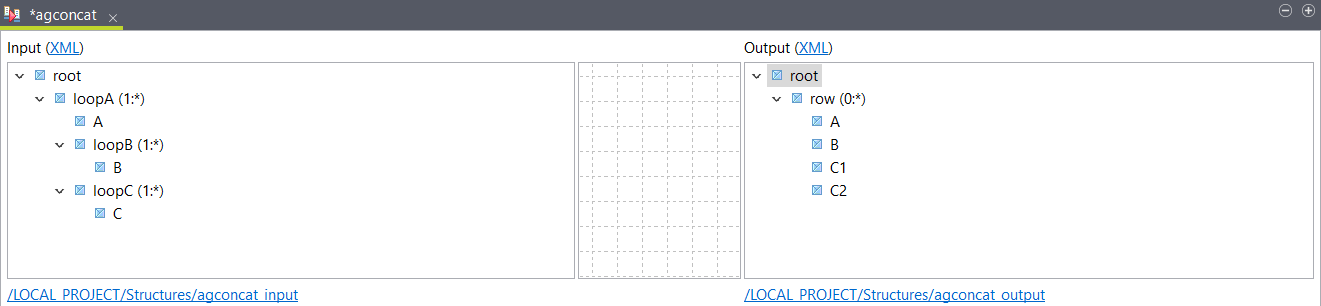
This example uses the following XML sample as input:
The
XML output structure is defined as
follows:
<root>
	<loopA>
		<A>a1</A>
		<loopB>
			<B>b11</B>
		</loopB>
		<loopB>
			<B>b12</B>
		</loopB>
		<loopC>
			<C>c11</C>
		</loopC>
		<loopC>
			<C>c12</C>
		</loopC>
	</loopA>
	<loopA>
		<A>a2</A>
		<loopB>
			<B>b21</B>
		</loopB>
		<loopB>
			<B>b22</B>
		</loopB>
		<loopC>
			<C>c21</C>
		</loopC>
		<loopC>
			<C>c22</C>
		</loopC>
	</loopA>
</root>root
row (0:*)
A
B
C1
C2Procedure
-
Create a map and add your input and output structure.
Example
-
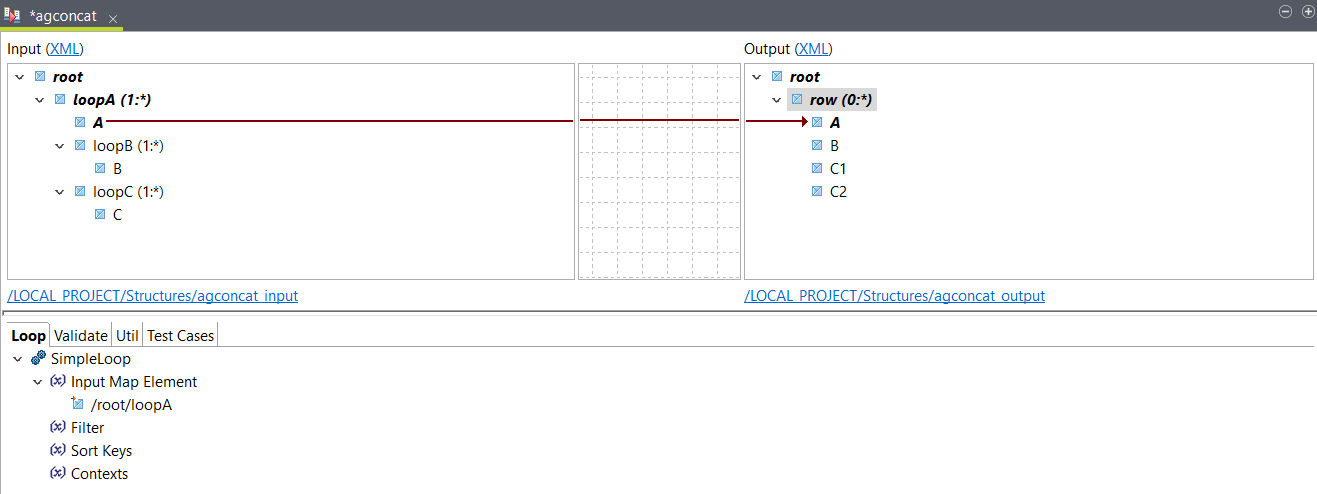
Place the input A element to the output
A element.
A looping expression is automatically created on the output row element.
-
Select Generate AgConcat value expression on
out$/root/row/B and click OK.
 An AgConcat function is automatically added to the output B element.
 -
Place the input C element to the output
C2 element, then select Generate AgConcat value
expression on out$/root/row/C2 and click OK
Because the sibling C1 element contains a filter, a matching filter is automatically added to C2 so that it only returns the second value of the input C element.

Results
<root>
  <row>
    <A>a1</A>
    <B>b11b12</B>
    <C1>c11</C1>
    <C2>c12</C2>
  </row>
  <row>
    <A>a2</A>
    <B>b21b22</B>
    <C1>c21</C1>
    <C2>c22</C2>
  </row>
</root>