
Assigning space permissions to a service account
Assign space permissions to a service account so that it could run tasks that belong to the related space.
The API to be used is https://api.<env>.cloud.talend.com/security/workspaces/{workspaceId}/service-accounts/{serviceAccountId}/permissions.
Information noteNote: Only one service account is used in this example. If you need to add permissions to a batch of service accounts, use https://api.<env>.cloud.talend.com/security/service-accounts/permissions/batch
Before you begin
- Ensure that the user that issues API calls has the Users - Manage permission. The ID of this permission is TMC_USER_MANAGEMENT.
About this task
In this section, the following API call is
issued:It
is implemented in Talend API Tester
for demonstration purposes.
method: POST
endpoint: https://api.<env>.cloud.talend.com/security/workspaces/{workspaceId}/service-accounts/{serviceAccountId}/permissions
headers: {
 "Content-Type": "application/json",
 "Authorization": "Bearer <your_personal_access_token>"
}
payload: ["EXECUTE"]Procedure
-
Select POST from the Method list
and in the field aside, enter the endpoint to be used:
https://api.<env>.cloud.talend.com/security/workspaces/{workspaceId}/service-accounts/{serviceAccountId}/permissions
Example
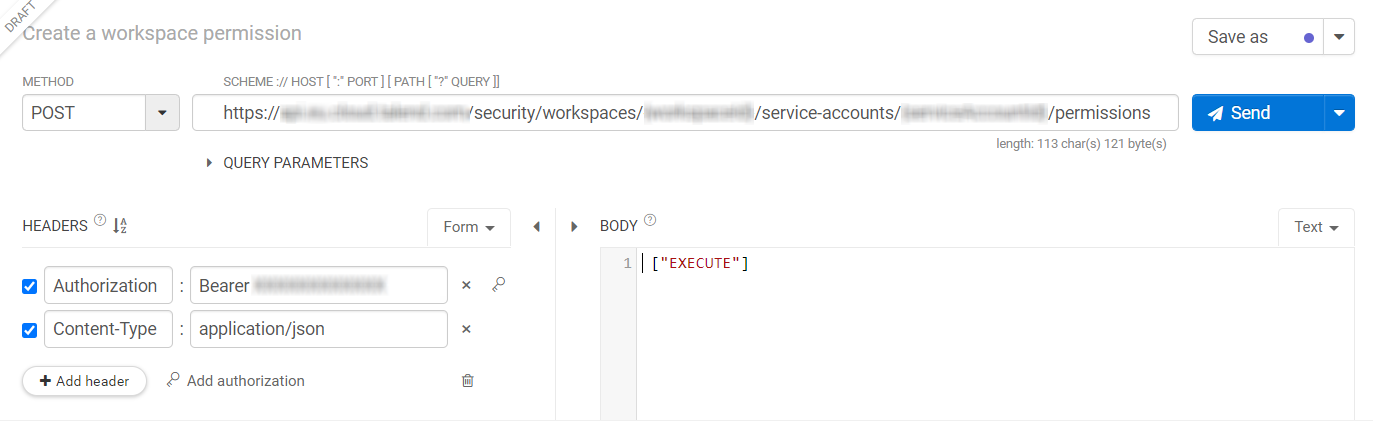 In this endpoint, serviceAccountId identifies the service account to which you want to assign space permissions.Information noteNote: This ID was randomly generated upon the creation of this service account. If you did not keep a copy of this ID, call GET /account/service-accounts to get list of all service accounts and find the one to be used by names.The workspaceId field indicates the space to which the task to be run belongs. You can obtain it through a API request or find it in Talend Management Console.
- APIs:
- use GET at the https://api.<env>.cloud.talend.com/orchestration/workspaces for spaces
- In Talend Management Console, open the artifact list from the space and then open an artifact. The
ID of the space appears in the URL of the Edit
space page.

- APIs: