
Last updated: 9/18/2025
You can add, edit and delete data sources easily in Data manager. It is also possible to navigate to the data load editor, where you can edit the data load script, and to the data model viewer, where you can view the data structure.
Data manager overview
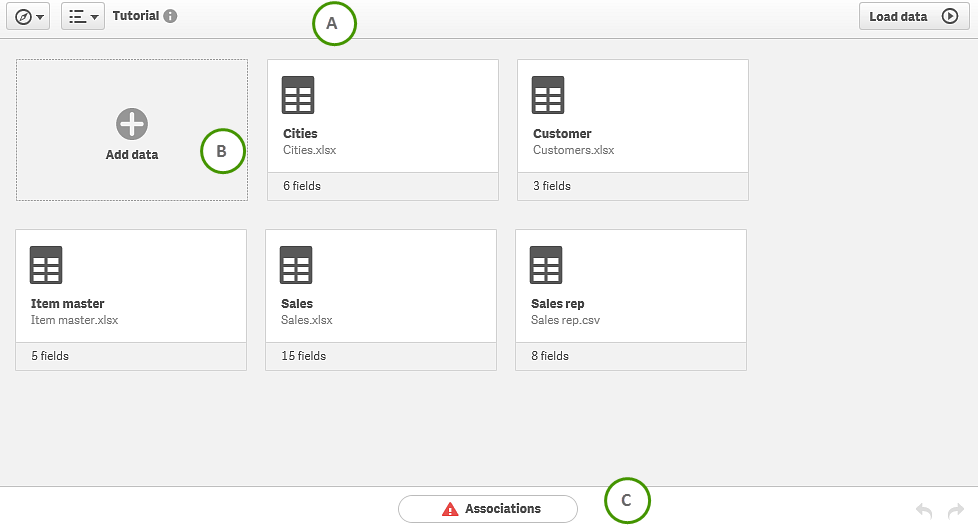
| A |
The toolbar contains the navigation menu, the global menu and other useful commands.
|
|||||||||
| B | All data tables in the app. You can add data from new or existing data sources, including Qlik DataMarket. You can also edit or remove existing data tables that were added with Data manager. | Adding data from files and databases | ||||||||
| C |
Qlik Sense will associate tables based on common field names automatically, but there are cases where you need to adjust the association. Data manager performs data profiling of the data you want to load to assist you in fixing the table association. If there are associations that potentially needs to be fixed, a warning icon is displayed. Click Associations to view association recommendations and adjust the associations. You can also undo or redo delete operations. |
Table editor
See: Editing a table
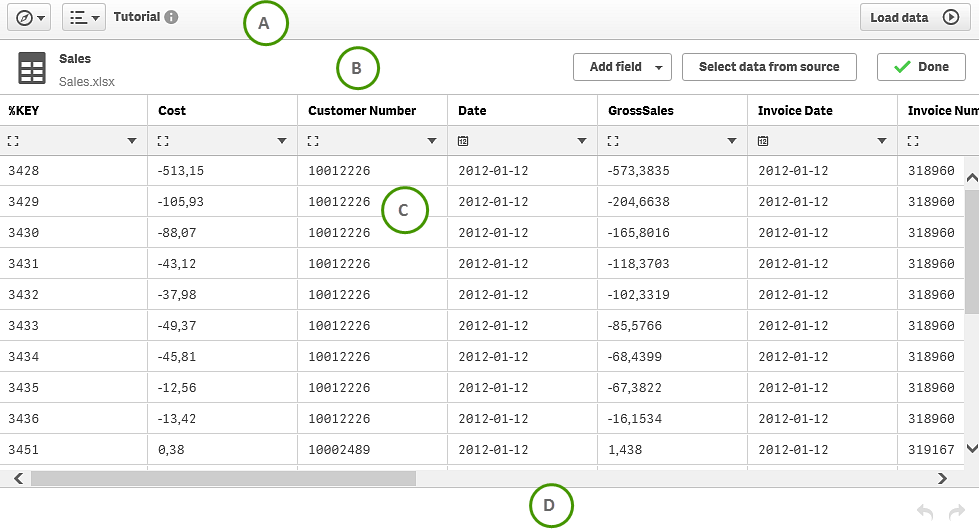
| A |
The toolbar contains the navigation menu, the global menu and other useful commands.
|
|||||||||
| B | Table editor toolbar. You can rename the table, add calculated fields and update the table from data source. | Editing a table | ||||||||
| C |
You can preview all fields in the selected table, and rename the fields. You can also change the format of the field data between General, Date and Timestamp. |
|
||||||||
| D | You can undo or redo all operations in the table editor. |
Association recommendations
See: Managing data table associations
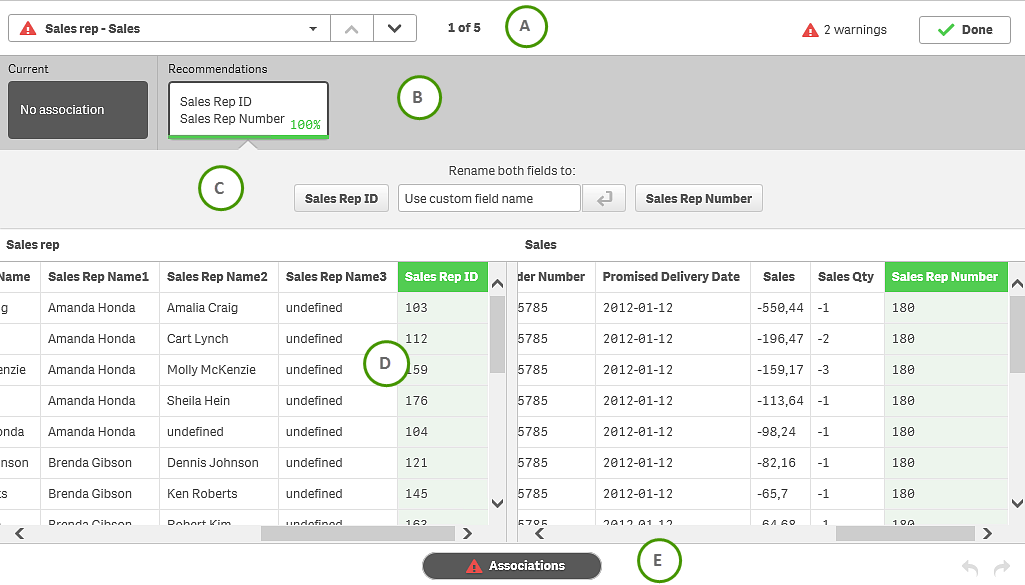
| A | Table pairs that have been profiled. Table pairs that seem to contain a valid association are marked with a green check mark, while table pairs with a warning that the association could be improved are marked with a red exclamation mark. | |
| B |
Current and recommended associations for the selected table pair. |
|
| C | If you select a recommendation in B, the available options for improving the association is displayed, for example, renaming fields or breaking an association. | |
| D | Preview of data in the selected table pair. | |
| E | You can undo and redo association change operations. |