
Last updated: 10/9/2025
Smart search is the global search tool in Qlik Sense. Smart search is available when you are analyzing data on a sheet and it is located in the selections bar. Smart search helps you to find associations and make selections in your data. Open it by clicking .
See: The associative selection model
If you perform a search with two search terms, the search generates one search query including both of them and then displays the available combination of results, with one result per row. In the screenshot you can see an example where the categories Product Type, Product Sub Group, and Customer show the available results from the database.
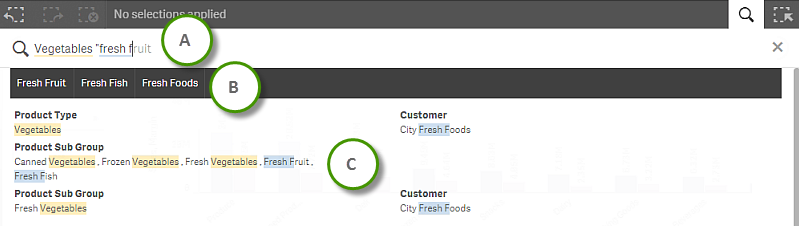
| A | Search field |
| B | Suggested search strings |
| C | Search results |