
Storing data from load scripts
Last updated: 10/9/2026Store data using the Store statement. You can store tables as QVD, CSV, or TXT files.
Data load editor includes an option, Insert Store statement, to create and format a Store statement.
Insert Store statement
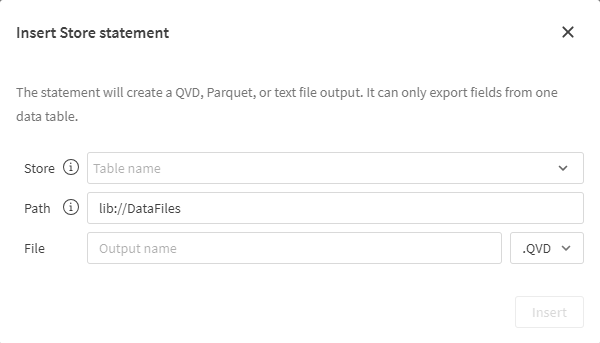
You can also add and format your own Store statements in your script, which have additional options. For more information, see Store.
Do the following:
-
In Data sources, click
 on a data source.
 -
After Store, enter the name of the table to store.
-
After Path, enter the destination path for the stored file.
Information noteIf you are storing to Google Drive, you must include the destination folder.
-
After File, enter the output name and a select the file type.
-
Click Insert.
The statement is inserted in your script.
Limitations
Inserting Store statements has the following limitations:
-
Insert Store statement (
) is not available with OneDrive connections.