
Remove/Quarantine Unused Apps
Last updated: 10/5/2026Cadence Quarterly
Sites developmentproduction
| Initial | Recurring | |
|---|---|---|
| Estimated Time | 30 Min | 5 min |
Benefits:
- Reduce Maintenance
- Increase Performance
Goal
The goal of this procedure is to remove unnecessary (unused) applications from a Qlik site. This increases overall site performance, decreases clutter, and will focus users to what is pertinent.
Operations Monitor
This page leverages the Operations Monitor. Please refer to the Operations Monitor page for an overview and relevant documentation links.
Confirm Operations Monitor is Operational
Navigate to the Monitoring apps and select the Details button (info icon) on the Operations Monitor application. Confirm that the application's data is up-to-date.
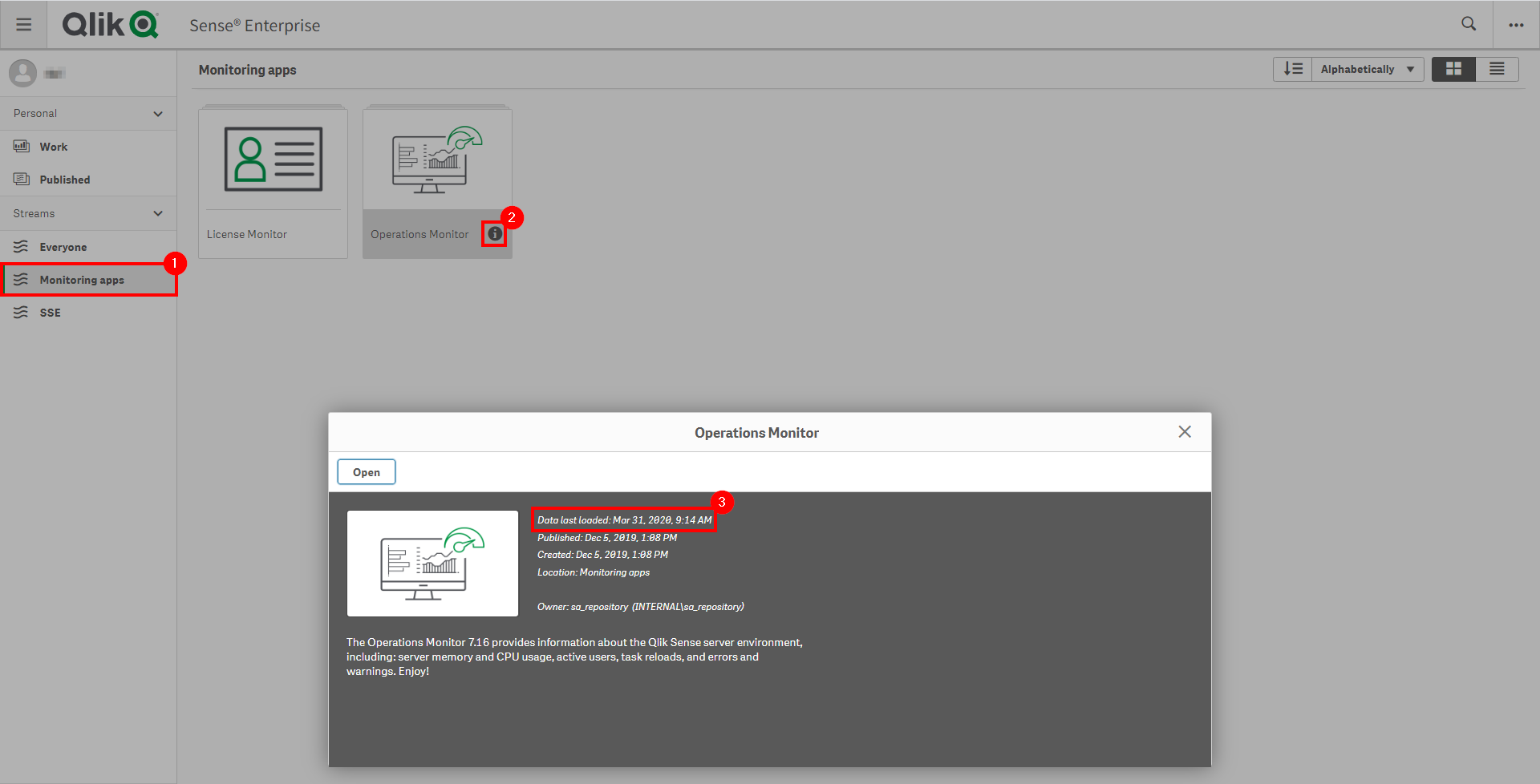
If the Operations Monitor is not up-to-date, please refer to the Operations Monitor Documentation for configuration details and troubleshooting steps.
Process
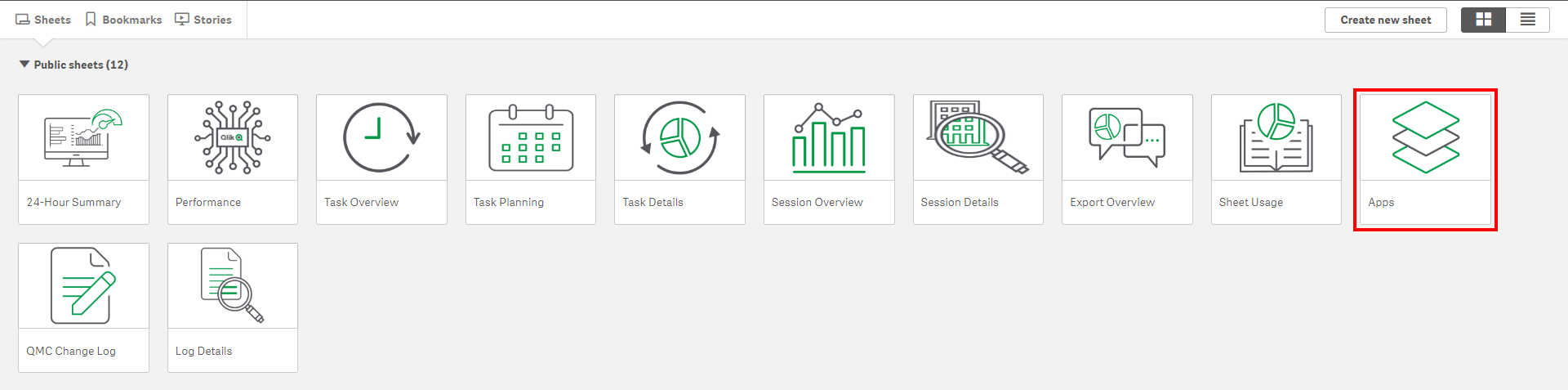
Open the Operations Monitor App, and select the Apps sheet.
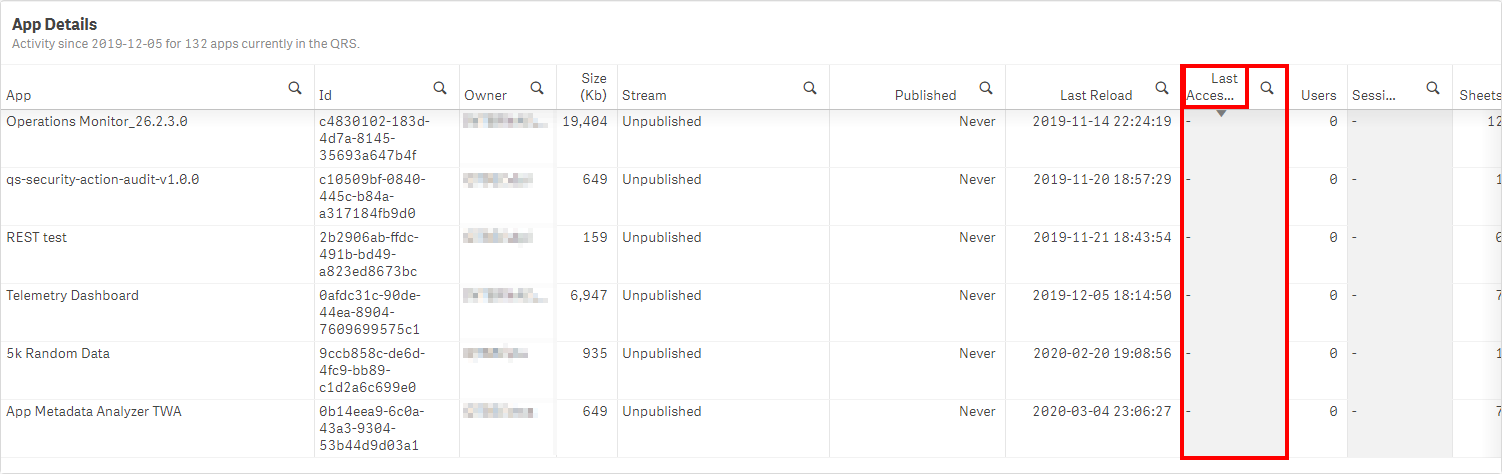
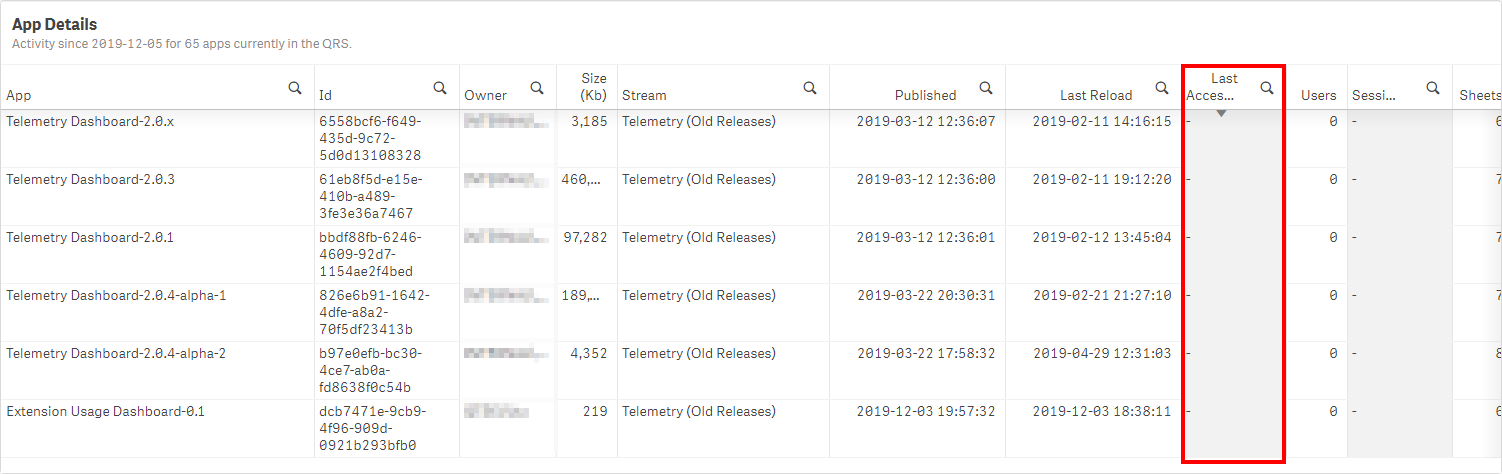
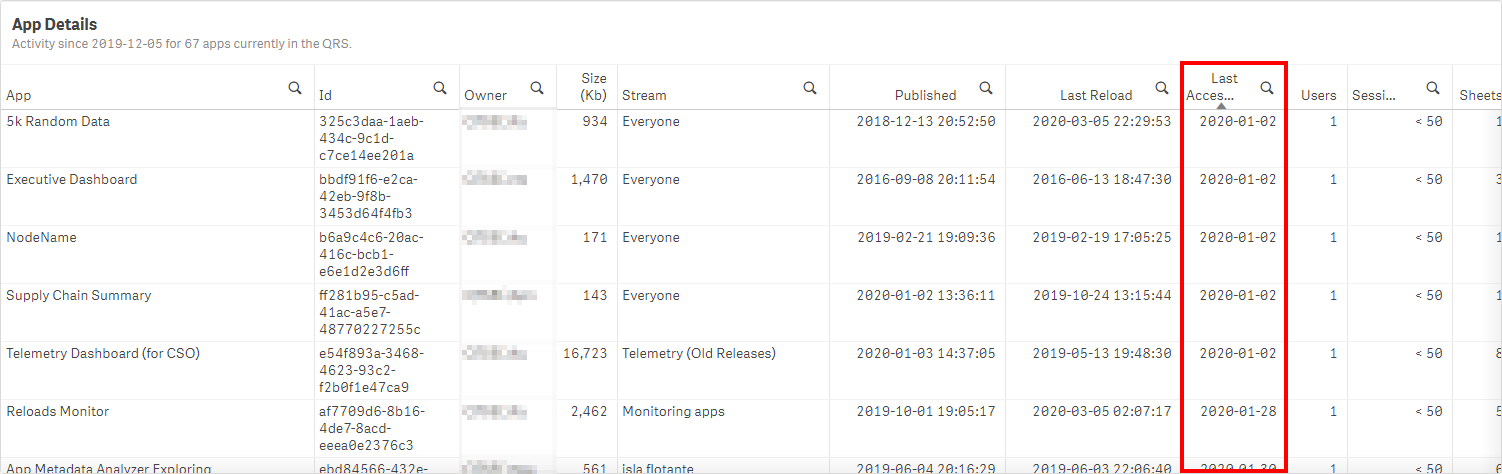
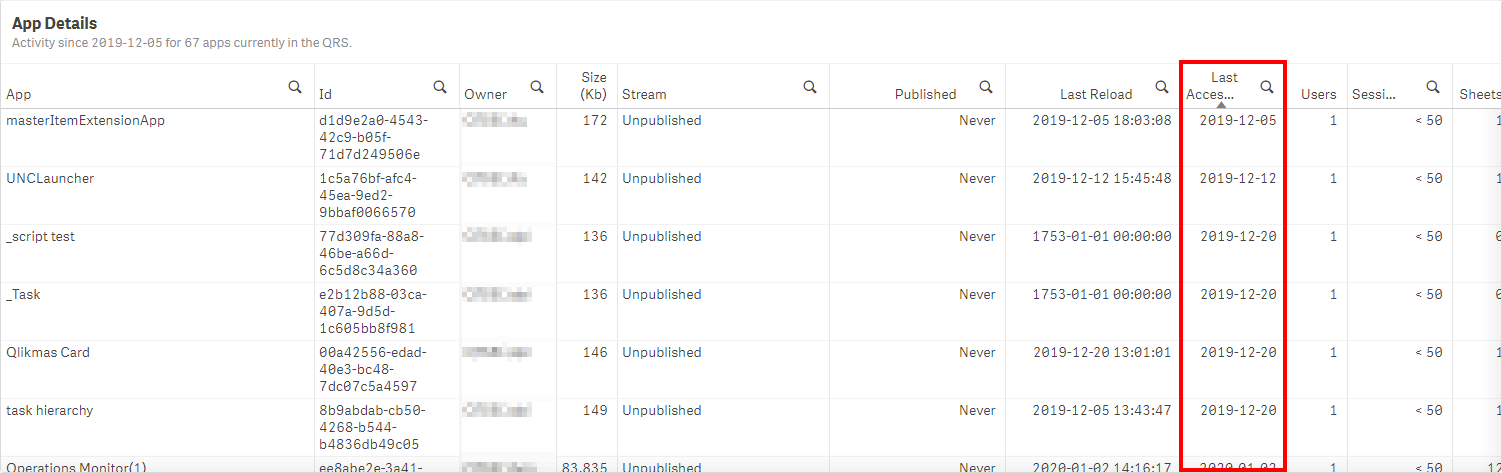
In the App Details table object, sort by Last Accessed field and scroll to old dates or null dates.
Priority 1
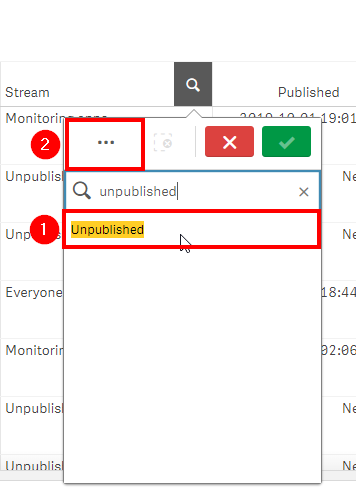
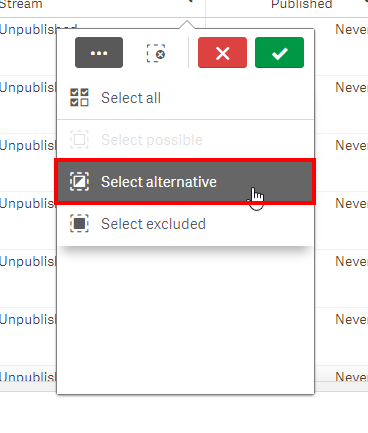
Look for applications that are Published but have not been accessed. This can be quickly filtered to by selecting Unpublished from the Stream column, and then by selecting Select alternative to view all published applications.
Priority 2
Look for applications that are Published and have not been used for a long time.
Priority 3
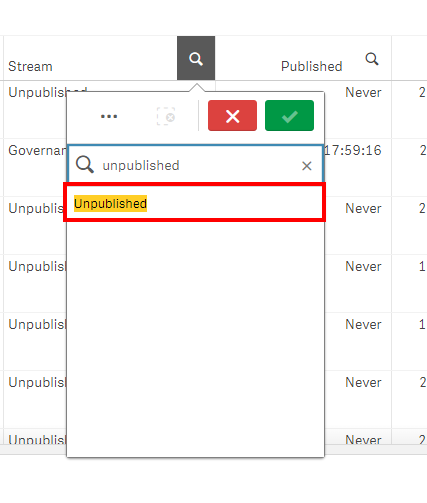
Look for Unpublished applications that have not been used for a long time. Clear selections in the Stream field, and then select Unpublished from the same field.
Actions
If the stream Quarantine doesn't already exist, this is a good time to create it. Ideally, the stream should be walled off to only Content Admins or the like, where they can review the applications with their respective owners.
Contact the application owners to let them know that their applications are being relocated to the Quarantine stream.
Move the applications from Priorities 1, 2, and 3 to the Quarantine stream.
Any applications that have been in the Quarantine stream for X number of days can be removed (corporate policy on how long they should be kept.) It is considered a best practice to export them without data, at a minimum–potentially exported with data if the intent is to archive them.
Tags
#quarterly
#asset_management
#apps
#operations_monitor