
Reporting on Metadata Usage Analytics
Last updated: 9/29/2026These files may be analyzed by the customer BI tool of choice (such as Microsoft PowerBI or Tableau).
An example is provided in $MM_HOME/conf/Template/analytics/demo/demo.pbix for PowerBI.

If the installation folder is not C:/MetaIntegration, you may update the RootAnalyticsFolder parameter in the PowerBI example from inside the PowerBI tool.
Example
With a Microsoft PowerBI client installed on the application server, open the .PBIX file and PowerBI will be started up with the pre-defined analytics reports already available.
Always use the Home > Refresh option in PowerBI after you perform Export analytics.

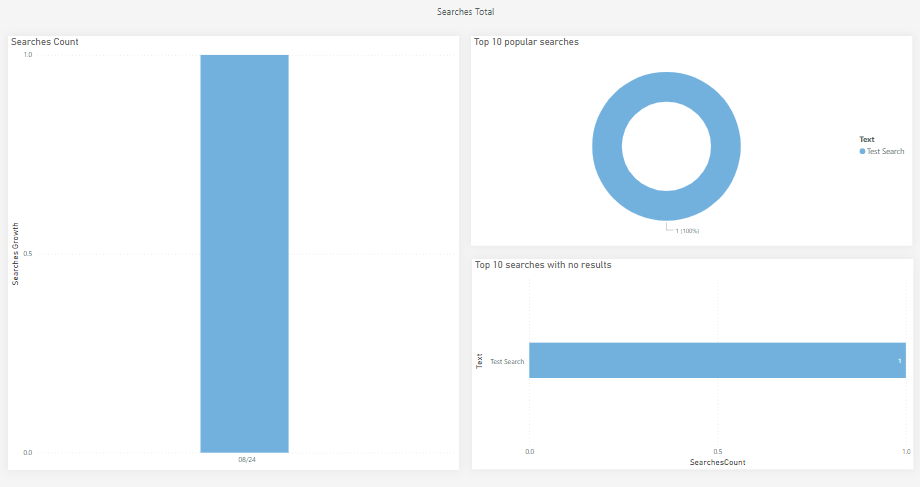
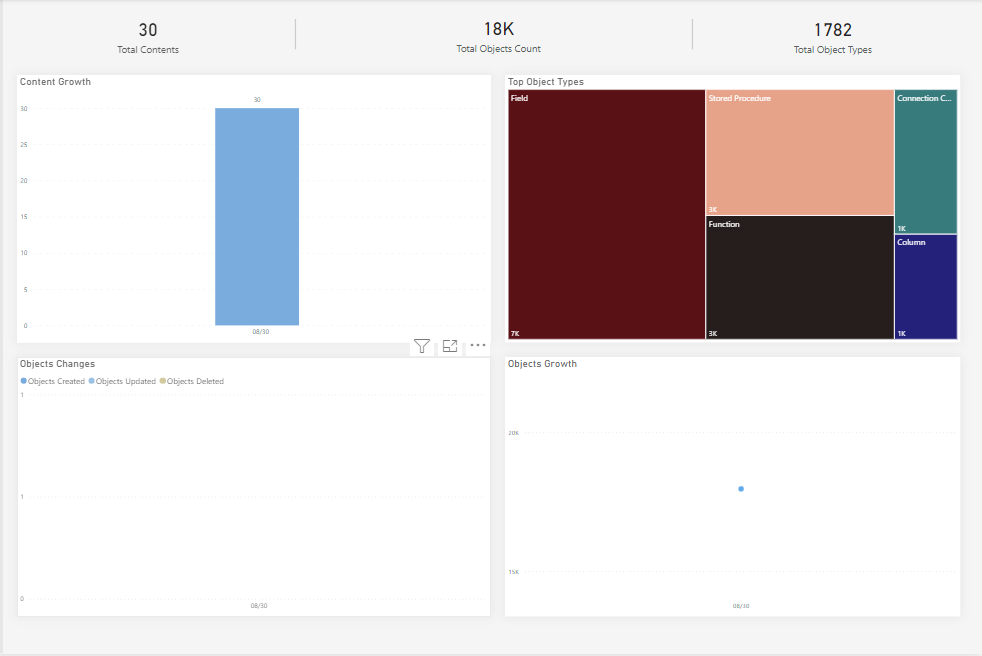
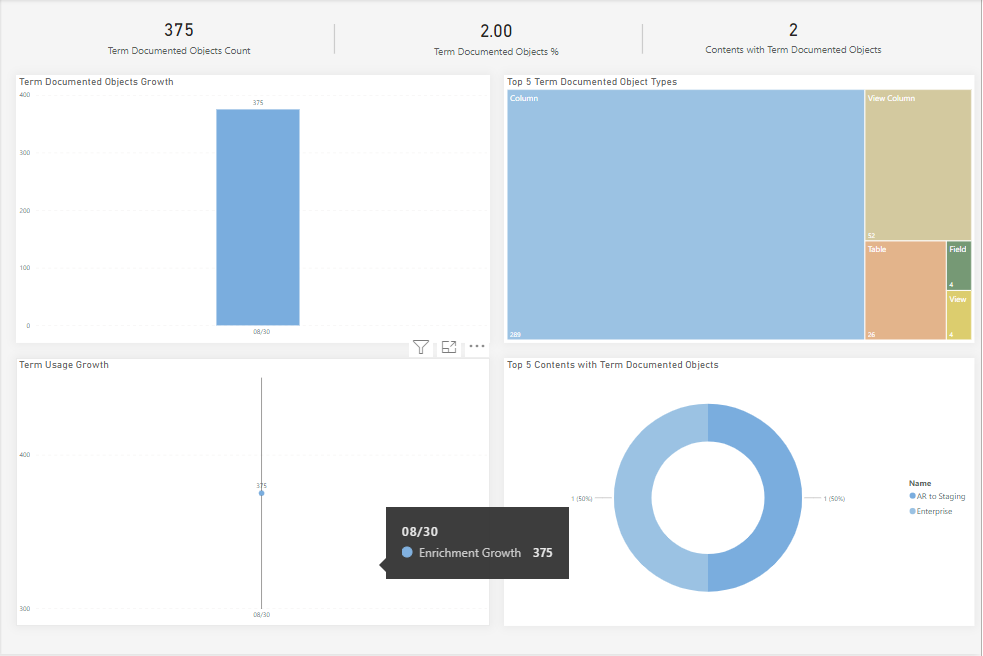
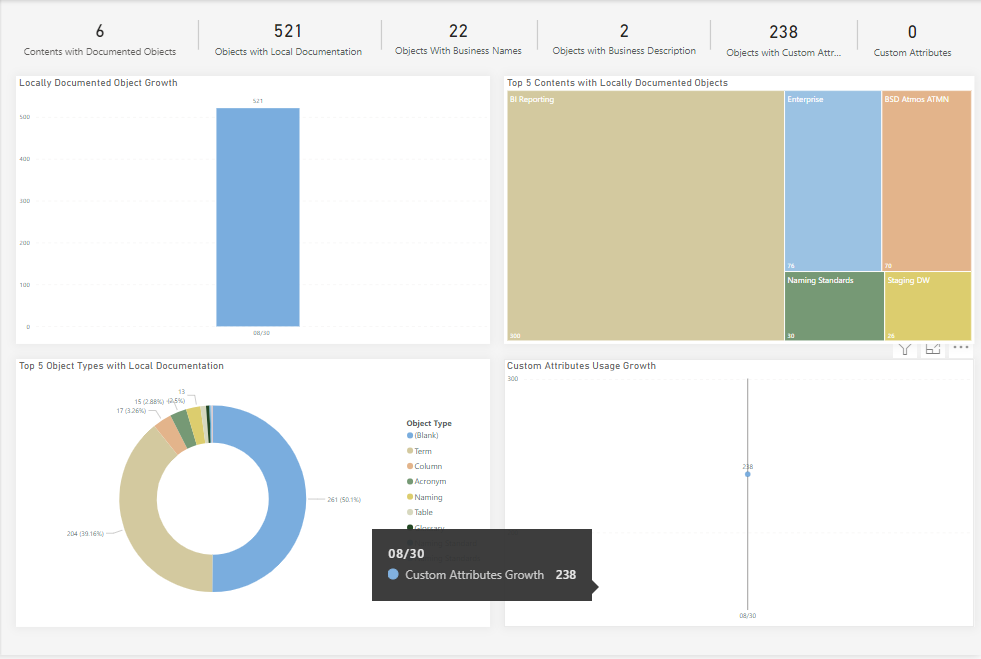
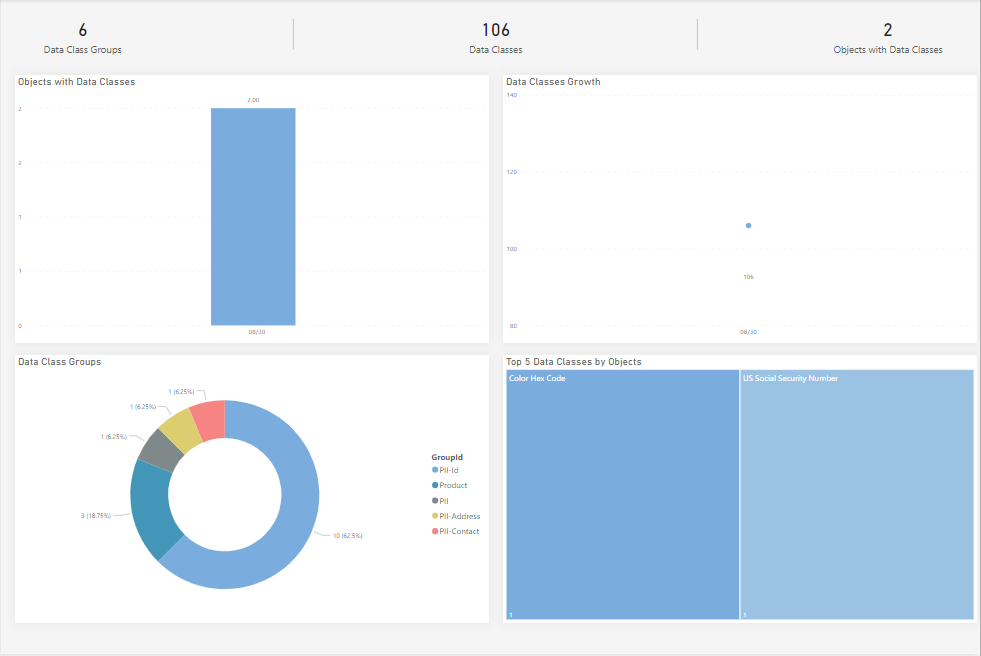
However, if the application server installation folder is not matching the default, when you open PowerBI, you may update the path parameter and the data will be located.
In this case, the installation folder is C:/MM/ and thus the data is at C:/MM/data/files/MM/analytics.
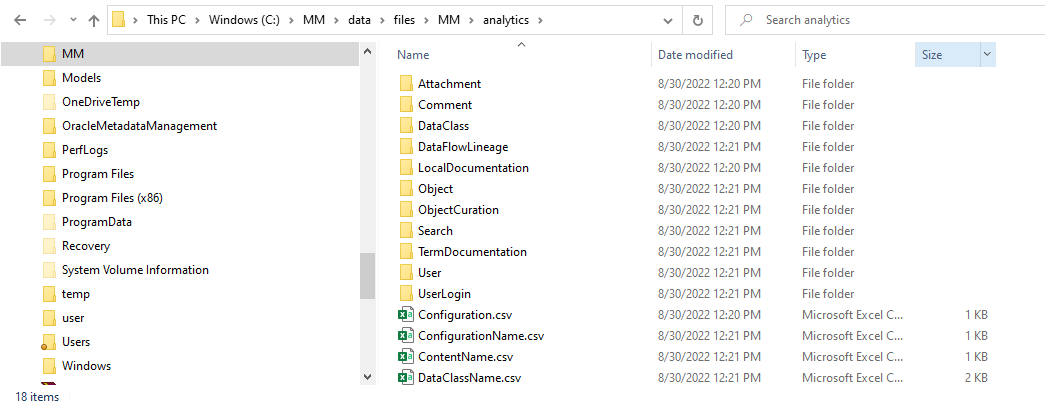
With a Microsoft PowerBI client installed on the application server, open the .PBIX file and PowerBI will be started up but will not know the proper location for the analytics data.
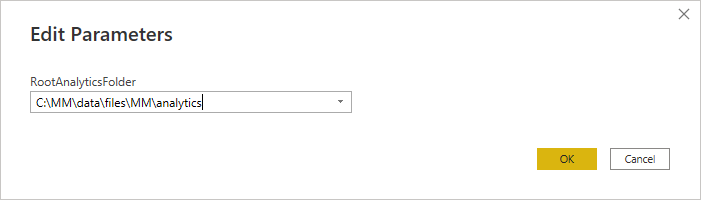
Go to Home > Transforms > Edit parameters

Then update the RootAnalyticsFolder parameter:
Analytics CSV Format
Configuration.csv (Table associating configurations with models, all by unique ID)
ConfigurationId unique ID of a configurations with models
ConfigurationId unique ID of an object in the configuration
ConfigurationName.csv (Table associating configurations with names by unique ID)
ConfigurationId unique ID of a configurations w
Name Name of the configuration
ContentName.csv (Table associating model objects with names by unique ID)
ContentId unique ID of a model object
Name Name of the model object
DataClassName.csv (Table associating data classes with names by unique ID)
DataClassID unique ID of a data class
Name Name of the data class
ObjectSnapshot.csv (Table associating data classes with names by unique ID)
ContentID unique ID of the model object
ModelId Internal unique ID of the containing model
ObjectTypeId unique ID of the object type for this object
ObjectCount
CreatedObjectCount
UpdatedObjectCount
DeletedObjectCount
ObjectTypeName.csv (Table associating data classes with names by unique ID)
ObjectTypeId unique ID of an object type
Name Name of the Object type
DataClassName.csv (Table associating data classes with names by unique ID)
UserId unique ID of a user
Name Name of the user
The following folders are partitioned by month at the folder level and then daily at the file level
Attachment (folder with analytics information about file attachments)
yyyymmdd.csv Table aggregating for that day
ContentId Model object ID which has attachment
ObjectCount
AttachmentCount Changed number of attachments
Comment (folder with analytics information about comments)
yyyymmdd.csv Table aggregating for that day
CommentTIme Timestamp for the comment
UserId User ID
ContentId Model Object ID
ObjectTypeId Type ID for the object
ObjectId Object ID the comment is applied to
DataClass (folder with analytics information about data classes)
yyyymmdd.csv Table aggregating for that day
DataClassId Unique ID for theDataClass
GroupId Group ID
ContentId Model Object ID
ObjectCount Change in count of objects
DataFlowLineage (folder with analytics information about data flow lineage traces)
yyyymmdd.csv Table aggregating for that day
ContentId Model Object ID
ObjectCount Change in count of objects
DetailLinkCount Change in count of detail links
ControlLinkCount Change in count of ControlLinks
ConnectionCount Change in count of Connections.
LocalDocumentation (folder with analytics information about local documentation)
yyyymmdd.csv Table aggregating for that day
ContentId Model Object ID
ObjectTypeId Type ID for the object
ObjectCount Change in count of objects
BusinessNameCount Change in count of business names of objects
DescriptionCount Change in count of business definitions
CustomAttributeCount Change in count of attached custom attributes.
CustomAttributeFieldCount Change in count of attached custom attributes [(why different?)]
Object (folder with analytics information about objects)
yyyymmdd.csv Table aggregating for that day
ContentId Model Object ID
ObjectTypeId Type ID for the object
ObjectCount Change in count of objects
CreatedObjectCount Count of newly created objects
UpdatedObjectCount Count of updated/changed objects
DeletedObjectCount Count of deleted objects.
ObjectCuration (folder with analytics information about objects curation
yyyymmdd.csv Table aggregating for that day
ContentId Model Object ID
CertificationCount Change in count of certified objects
EndorsementCount Change in count of endorsed objects
WarningCount Change in count of warned objects
Search (folder with analytics information about searches performed
yyyymmdd.csv Table aggregating for that day
SearchTIme Timestamp for search action
Text Search text used
SearchResult ???
TermDocumentation (folder with analytics information about documentation changes to glossary terms)
yyyymmdd.csv Table aggregating for that day
EnrichmentType Type of update
ContentId Model Object ID
ObjectTypeId Type ID for the object
ObjectCount Count of changed objects
User (folder with analytics information about documentation changes to glossary terms)
yyyymmdd.csv Table aggregating for that day
TotalCounts Total number of users
NativeCounts Total number of native users
NamedCounts Total number of named users
LockedCounts Total number of locked users
UserLogin (folder with analytics information about documentation changes to glossary terms)
yyyymmdd.csv Table aggregating for that day
UserId Unique ID for a user
GroupId ???
LoginDate ???Not sure why this is here in a date named file
LoginResult TRUE/FALSE, successful or not
SessionDuration In minutes