Talend Studio allows you to
publish your Jobs into a Docker registry.
Procedure
In the Repository tree view, select the item you want to
publish into a Docker registry.
Right-click it and select Publish in the menu.
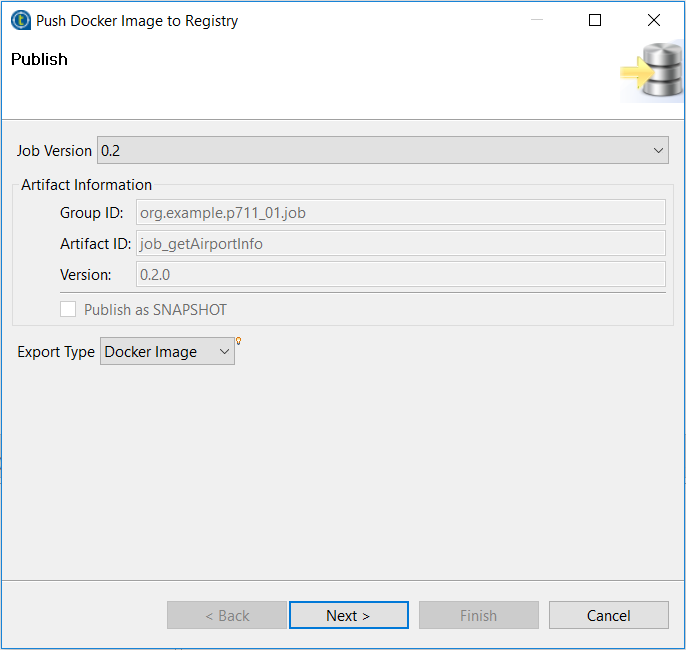
In the Publish wizard, select Docker
Image as the export type, and click
Next.
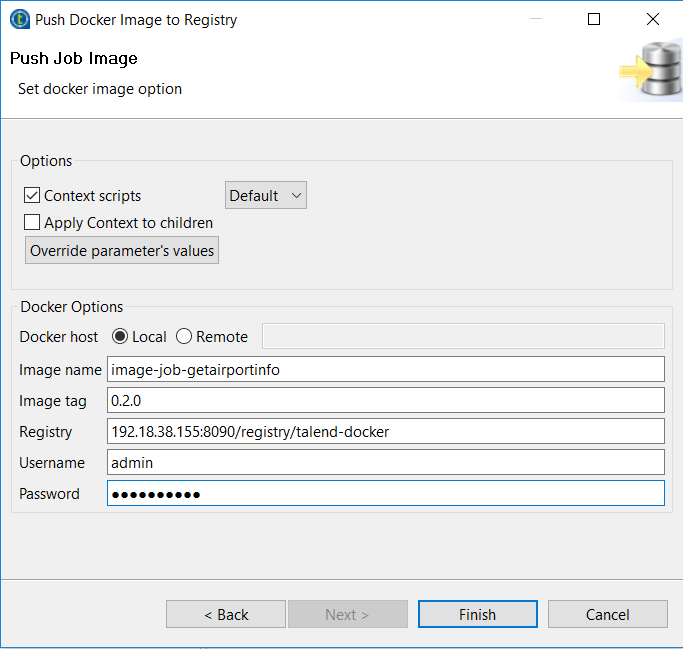
Select Local or specify a remote address based on your
Docker engine installation.
Information noteWarning: If you select the Remote option,
make sure that Docker deamon is started with a remote port.
Specify your Docker image name, and image tag.
By default, the image name is derived from the project name and Job name, and
the image tag is derived from the version of the Job. You can specify a new name
and tag here or customize the default settings globally in Project Settings. For
more information, see Customizing Docker images build settings.
Information noteWarning: Underscore characters are not supported in Docker image
names, therefore make sure the Docker image name value does not contain
underscore characters.
Specify your user name and password.
If needed, specify the context options.
Click Finish to start publishing your Docker image to
the specified Docker registry.
Did this page help you?
If you find any issues with this page or its content – a typo, a missing step, or a technical error – please let us know!