Skip to main content Skip to complementary content

Exporting match rules to the repository

Last updated: 9/2/2025

Procedure

  1. In the match editor, click the icon on top of the editor.
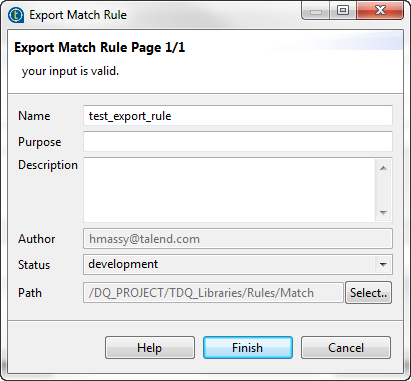
  2. In the open wizard, enter a name for the rule and set other metadata, if needed.
  3. Click Finish.
    The rule editor opens on the rule settings and the rule is saved and listed under Libraries > Rules > Match in the DQ Repository tree view.

Did this page help you?

If you find any issues with this page or its content – a typo, a missing step, or a technical error – please let us know!