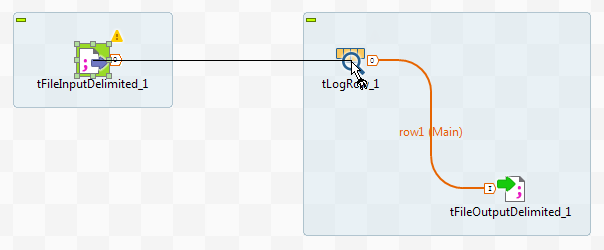
Click the input component, tFileInputDelimited in this
example, and drag and drop the arrow icon displayed onto the destination component,
tLogRow in this example.
A Row > Main connection is automatically created between the two components.
While this method requires less operation steps, it works only with these types of
Row connections: Main,
Lookup, Output,
Filter, and Reject, depending on the
nature and role of the components you are connecting.
Did this page help you?
If you find any issues with this page or its content – a typo, a missing step, or a technical error – please let us know!