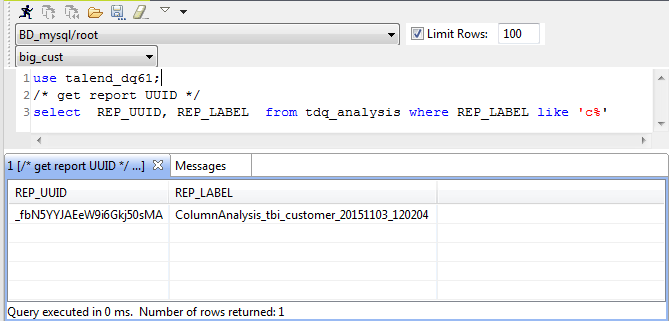
use talend_dq61;
/*must execute the sql in this order*/
/*1. delete data from tdq_indicator_value table*/
delete from tdq_indicator_value where analysis_pk in (select an_pk from tdq_analysis where rep_uuid in ('_EuRp8Ey8EeWI7MB95QH5HA', '_cabpUUzUEeW6FuESwuuXqA'));
/*2. delete data from tdq_overview_indvalue table*/
delete from tdq_overview_indvalue where an_pk in (select an_pk from tdq_analysis where rep_uuid in ('_EuRp8Ey8EeWI7MB95QH5HA', '_cabpUUzUEeW6FuESwuuXqA'));
/*3. delete from tdq_set_indvalue table*/
delete from tdq_set_indvalue where an_pk in (select an_pk from tdq_analysis where rep_uuid in ('_EuRp8Ey8EeWI7MB95QH5HA', '_cabpUUzUEeW6FuESwuuXqA'));
/*4. delete from tdq_analyzed_set table*/
delete from tdq_analyzed_set where match_ind_pk in(select m_pk from tdq_match_indvalue where analysis_pk in (select an_pk from tdq_analysis where rep_uuid in ('_EuRp8Ey8EeWI7MB95QH5HA', '_cabpUUzUEeW6FuESwuuXqA')));
/*5. delete from tdq_match_indvalue table*/
delete from tdq_match_indvalue where analysis_pk in (select an_pk from tdq_analysis where rep_uuid in ('_EuRp8Ey8EeWI7MB95QH5HA', '_cabpUUzUEeW6FuESwuuXqA'));
/*6. delete from tdq_table_analyzed_set table*/
delete from tdq_table_analyzed_set where an_pk in (select an_pk from tdq_analysis where rep_uuid in ('_EuRp8Ey8EeWI7MB95QH5HA', '_cabpUUzUEeW6FuESwuuXqA'));
/*7. delete from tdq_analysis table*/
delete from tdq_analysis where rep_uuid in ('_EuRp8Ey8EeWI7MB95QH5HA', '_cabpUUzUEeW6FuESwuuXqA');
In this example, you want to delete the two reports which
have the identifiers _EuRp8Ey8EeWI7MB95QH5HA and
_cabpUUzUEeW6FuESwuuXqA from the
talend_dq61 data mart.