
Restartability example
Last updated: 8/28/2026
This section explains restartability in Talend
Jobs with a simple example.
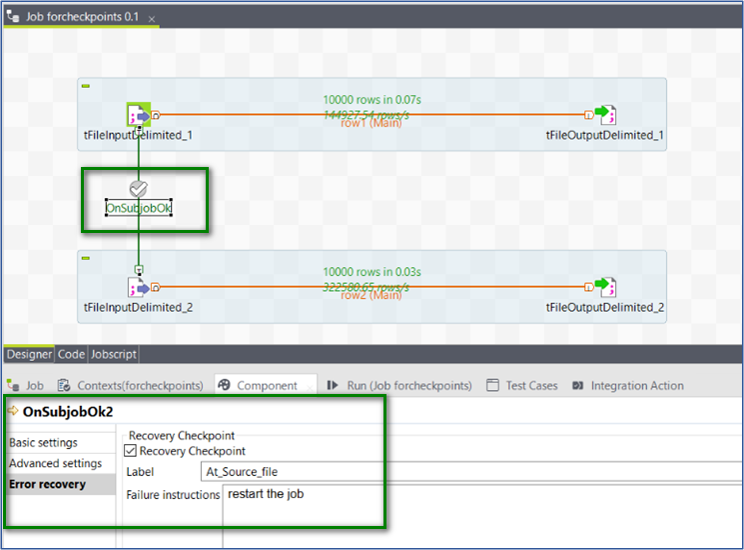
The Job below reads from two files and creates two new files.
Procedure
-
Give the instructions to follow in case the Job fails.
In this example, the instruction given is restart the job.
-
Schedule and run this job.
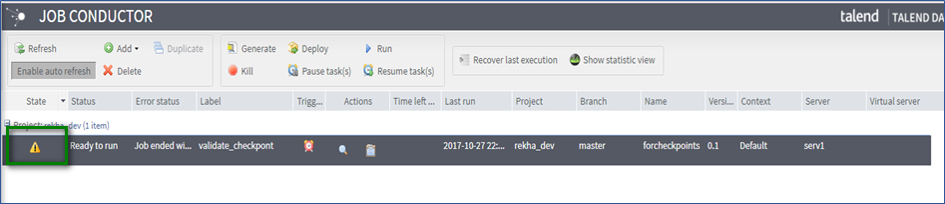
In the example below, the Job was scheduled in the Job Conductor and failed during the last execution.
-
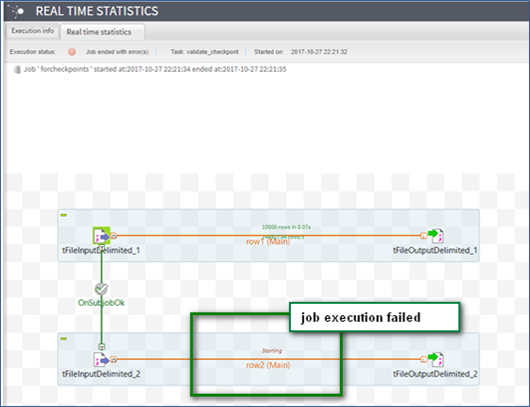
Click Real Time Statistics to see the point of
failure.
-
Open the task recovery module on the Task Execution Monitoring page.
 The recovery module provides a lot of details, such as the failure instructions provided in the Job design, the point of restart, tFileInputDelimited_2 in this case, and the error that the Job encountered.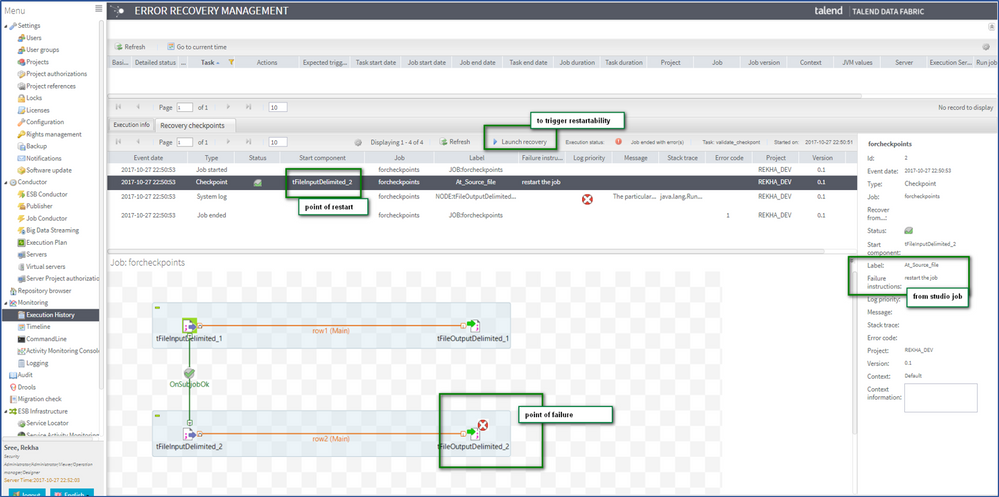
-
Click the launch recovery option to restart the Job.
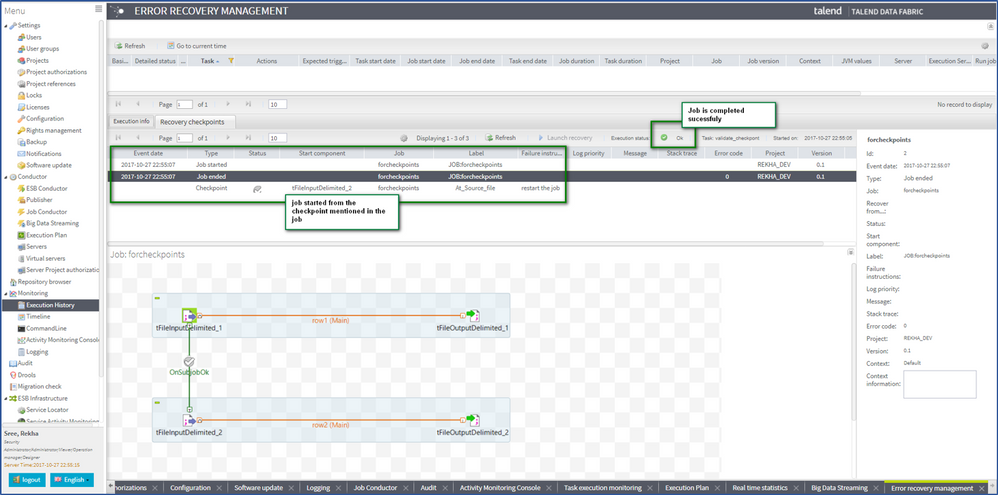
The Job starts from the checkpoint and completes successfully.
Results
The first image below shows the files at the time of the Job failure, and the second image shows the files after restartability.


When the Job execution failed, the file out was already written. Then when you used the checkpoint to restart the Job, it did not overwrite out but created a new file named out1.