Double-click the cFile component to open
its Basic settings view in the Component tab.
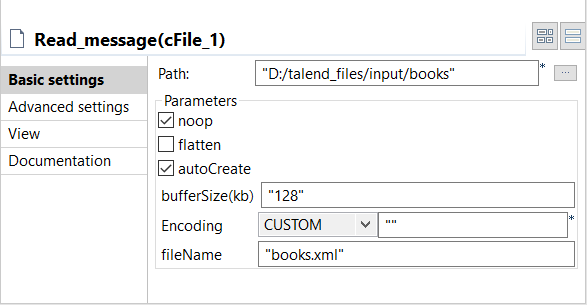
In the Path field, enter or browse to the
path to the source XML file.
If the source file folder contains more than one file, enter the name of
the XML file of interest in the FileName
field, and leave the other parameters as they are.
Double-click the cConvertBodyTo component
to open its Basic settings view in the
Component tab.
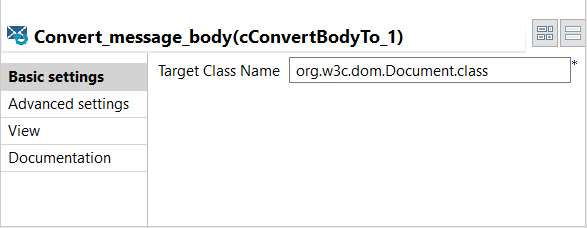
In the Target Class Name field, enter
your target class name, org.w3c.dom.Document.class in this scenario.
Double-click the cBeanRegister component to open its Basic
settings view in the Component
tab.
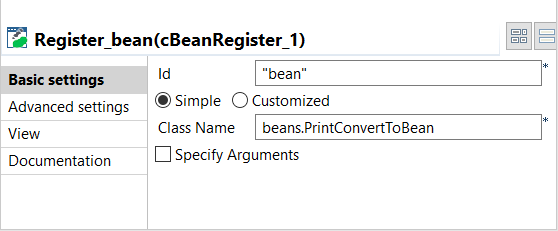
In the Id field, enter
"bean".
Select the Simple option and in the
Class Name field, enter the name of the
bean to be invoked, beans.PrintConvertToBean in this scenario.
Double-click the cBean component to open
its Basic settings view in the Component tab.
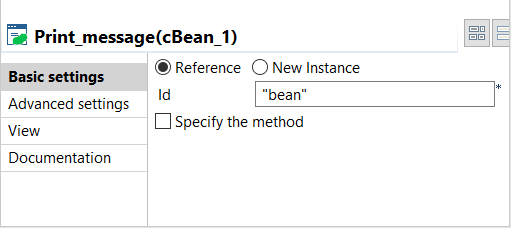
Select Reference and in the Id field, enter "bean" to call the
bean that is registered by the cBeanRegister.
Press Ctrl+S to save your Route.
Did this page help you?
If you find any issues with this page or its content – a typo, a missing step, or a technical error – please let us know!