
Selecting the packs
Last updated: 10/5/2025Procedure
-
Select the check boxes of the packs you want to
install, and then click Next.
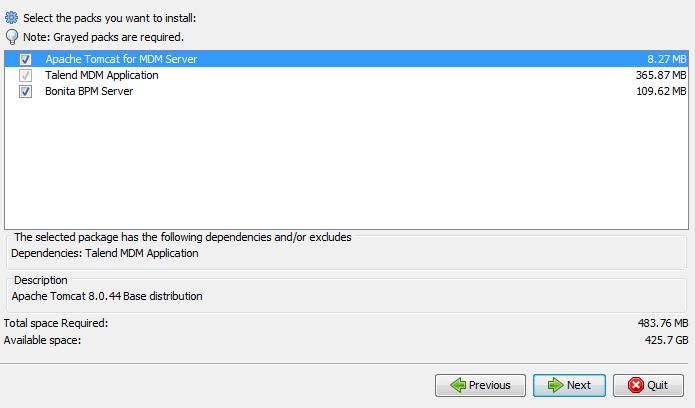
- If you already have a Tomcat application server installed on your machine, and you do not want to re-install it, clear the Apache Tomcat for MDM Server check box.
- Select Bonita BPM Server to install the Bonita BPM community
application together with other selected packs. You can also choose to
install the Bonita BPM application manually.
- For more information about how to install the Bonita BPM community application manually, see Installing the Bonita BPM community server manually.
- For more information about how to install the Bonita BPM subscription application manually, see Installing the Bonita BPM subscription server manually.
- The Talend MDM Application option is greyed out because it is required.
-
Depending on which packs you install, you are presented with
different installation directory windows:
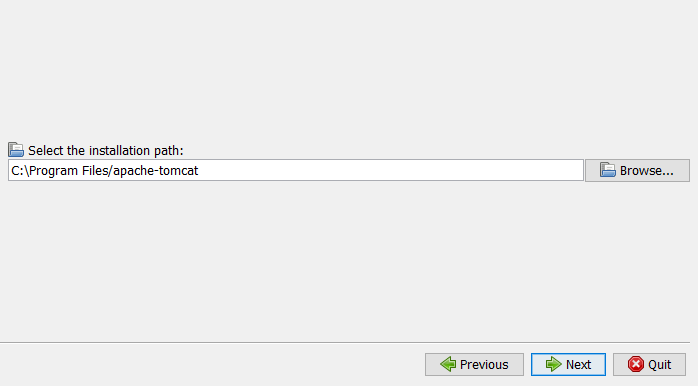
- If you select all packs, then you specify the
installation path in the following window:
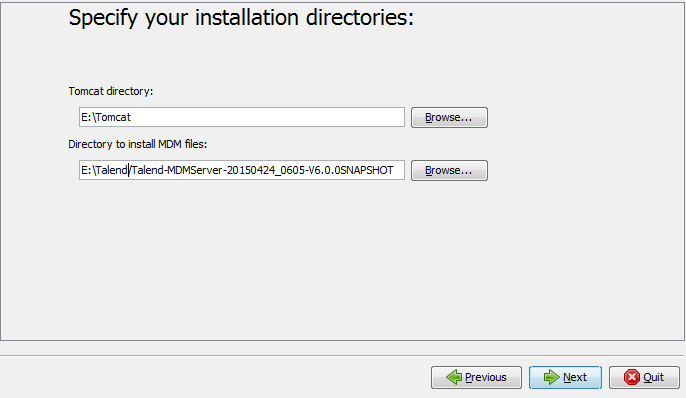
- If you cleared the Tomcat check box, you specify the
location of your Tomcat directory and the install path for the MDM
files.
- If you select all packs, then you specify the
installation path in the following window: