In the Mapping perspective, in
the Data Mapper view, expand the Hierarchical Mapper node and the Structures node, and then open the JSON_structure structure you created
earlier.
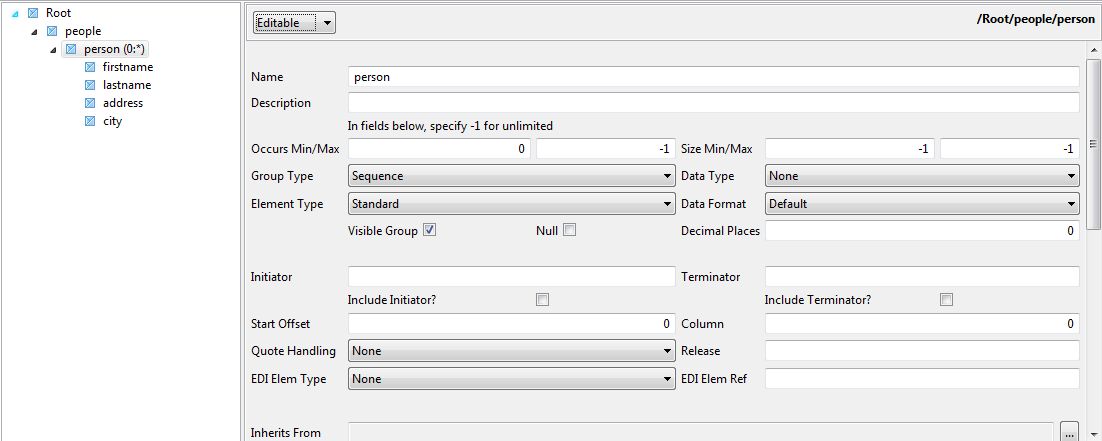
In the JSON_structure, right-click to add a
new element, click New element and name the new
element Root.
Follow the same steps to create a new element called people under the Root
element, a person element under people, and four new elements under the person element: firstname, lastname,
address and city.
For the person element, change the
Occurs Max value to -1 (unlimited).
Press Ctrl + S to save your changes.
Did this page help you?
If you find any issues with this page or its content – a typo, a missing step, or a technical error – please let us know!