Skip to main content Skip to complementary content

Configuring the components

Procedure

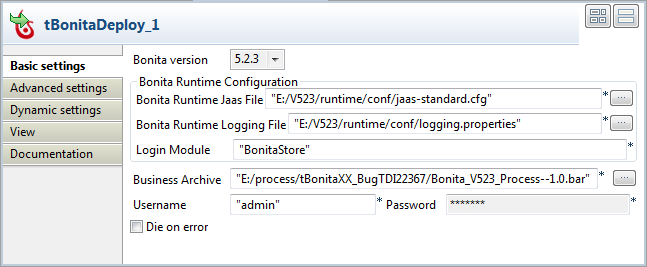
  1. Double-click tBonitaDeploy to open its Basic settings view.
  2. In the Bonita Runtime Jaas File field, specify the path and name of the jaas file.
    In the Bonita Runtime Logging File field, specify the path and name of the logging file.
    In the Business Archive field, specify the path and name of the Bonita process.
  3. In the Username and Password fields, enter the user authentication credentials.
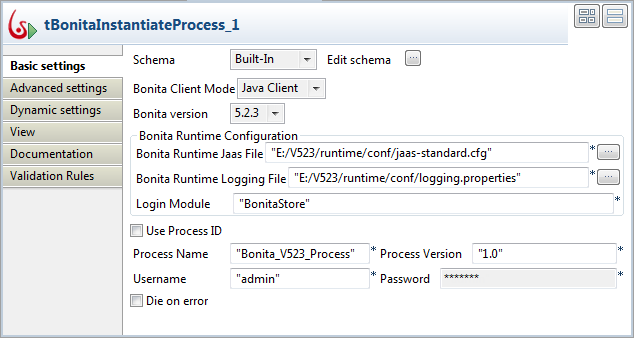
  4. Double-click tBonitaInstantiateProcess to open its Basic settings view.
  5. In the Bonita Runtime Jaas File field, specify the path and name of the jaas file.
    In the Bonita Runtime Logging File field, specify the path and name of the logging file.
  6. In the Process Name and Process Version fields, enter the process information.
  7. In the Username and Password fields, enter the user authentication credentials.
  8. Double-click tLogRow to open its Basic settings view.
  9. In the Mode area, select Table (print values in cells of a table for better display.

Did this page help you?

If you find any issues with this page or its content – a typo, a missing step, or a technical error – please let us know!