Configuring the deployment of the process
About this task
To replicate this scenario, proceed as follows:
Procedure
-
Double-click tBonitaDeploy to open its
Basic settings view.
-
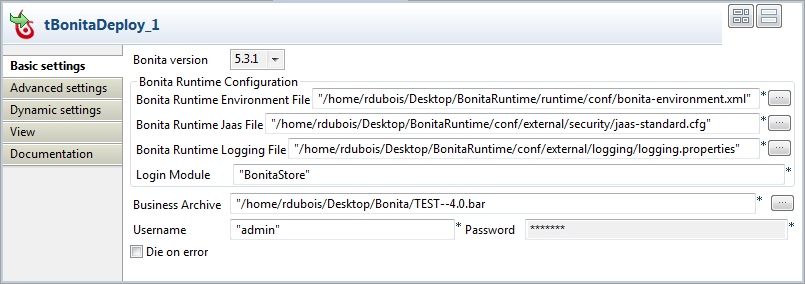
In the Bonita Runtime Configuration
area, browse to the Bonita Runtime variable files. In the Bonita Runtime Environment file field, browse to
the bonita-environnement.xml file; in the Bonita Runtime Jaas File field, browse to the
jaas-standard.cfg file; in the Bonita Runtime Logging File field, browse to the
logging.properties file.
For users based on Bonita version 5.2.3, only the Bonita Runtime Jaas File field and the Bonita Runtime Logging File field need to be filled.
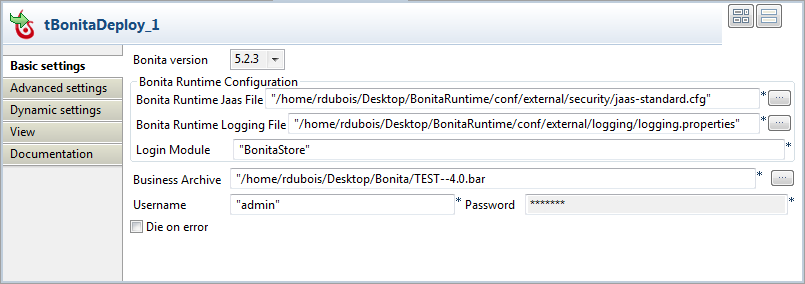
For users based on Bonita version 5.6.1, in the Bonita Runtime Home field, browse to the Bonita Runtime environment directory.