
Last updated: 10/16/2025
The timeline gives you an overview of the structure and content of your story. It contains thumbnails of your slides.
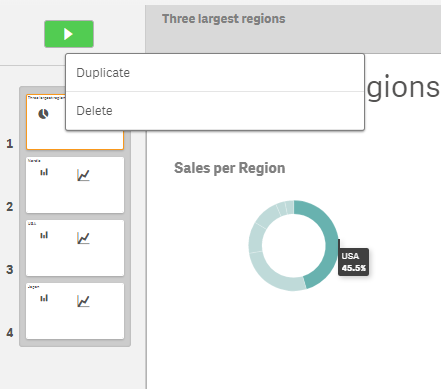
You move between the slides by clicking the thumbnails. A selected thumbnail displays its corresponding slide in the slide view. You can reorder slides by moving them around on the timeline. You can add slides and you can delete slides.
A story timeline with a few slides and the shortcut menu of the selected slide.
Timeline controls
| UI item | Description |
|---|---|

|
Adds a slide right after current slide. |
Timeline shortcut menu
| UI item | Description |
|---|---|
| Duplicate | Duplicates the current slide. |
| Delete | Deletes a slide from the timeline. |