
Last updated: 10/14/2025
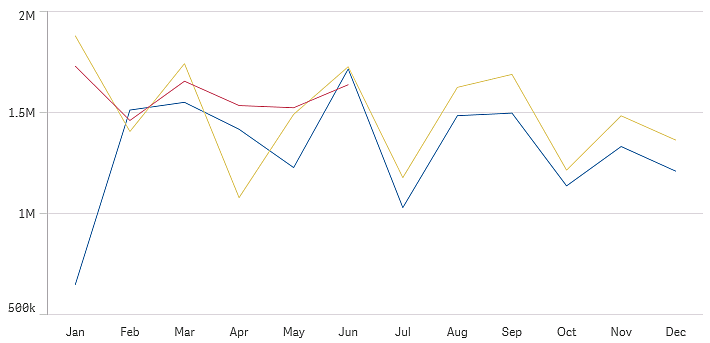
The line chart is used to show trends over time. The dimension is always on the x-axis, and the measures are always on the y-axis. The orientation cannot be changed to vertical.
Number of measures and dimensions
In a line chart you need at least one dimension and one measure. The following table shows the maximum limits. When using more than three measures the chart may be difficult to interpret.
| When using | Max limit |
|---|---|
| 1 dimension | 15 measures |
| 2 dimensions | 1 measure |
| 1 measure | 2 dimensions |
| 2 -15 measures | 1 dimension |
Scrolling and mini chart
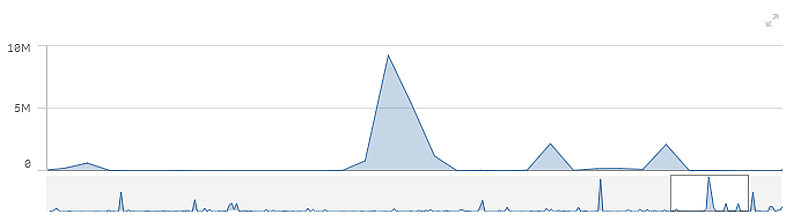
When the number of dimension values exceeds the width of the visualization, a mini chart with a scroll bar is displayed. You can scroll by using the scroll bar in the mini chart, or, depending on your device, by using the scroll wheel or by swiping with two fingers. When a large number of values are used, the mini chart no longer displays all the values. Instead, a condensed version of the mini chart (with the items in gray) displays an overview of the values, but the very low and the very high values are still visible.
Out of range
In the properties panel, under Appearance, you can set a limit for the measure axis range. Without a limit, the range is automatically set to include the highest positive and lowest negative value, but if you set a limit you may have values that exceed that limit. When a data point value cannot be displayed, due to the range limits, an arrow indicates the direction of the value.
When a reference line is out of range, an arrow is displayed together with the number of reference lines that are out of range.
Display limitations
When displaying large amounts of data in a line chart, the message "Currently showing a limited data set." is shown to indicate that not all data is displayed. The approximate limit for the number of data points that can be displayed in a line chart is 10000. Above that number, data points are neither displayed, nor included in selections made in the line chart.
To avoid displaying limited data sets, you can either make a selection or use dimension limits in the properties panel.
The initial data load is 500 dimension values or dimension stacks. (The value 500 refers to the outer dimension values, not each dimension value in a stack.) When you have scrolled past those 500 values, an incremental load is performed, where values are instead loaded based on the current view or scroll position.