Last updated: 10/14/2025
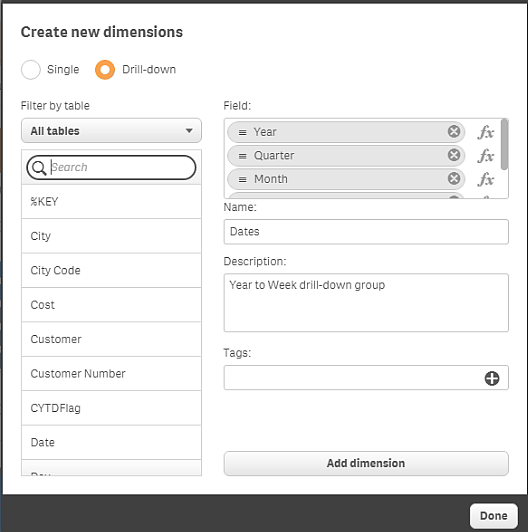
When adding a dimension, you can select between creating a single or a drill-down dimension. The following description explains how to create a drill-down group from the Create new dimensions dialog.
Do the following:
-
Select Drill-down as dimension type.
-
Click at least two fields from the fields list on the left-hand side to insert them as the referenced fields.
Tip noteYou can filter which table to select fields from in the drop-down list.Tip noteYou can rearrange the order of the fields you have selected by dragging them to new positions in the list of selected fields. -
Type a name for the dimension.
-
Type a description for the dimension (optional).
-
Add tags (optional).
- Click Add dimension.
-
Click Done to close the dialog.
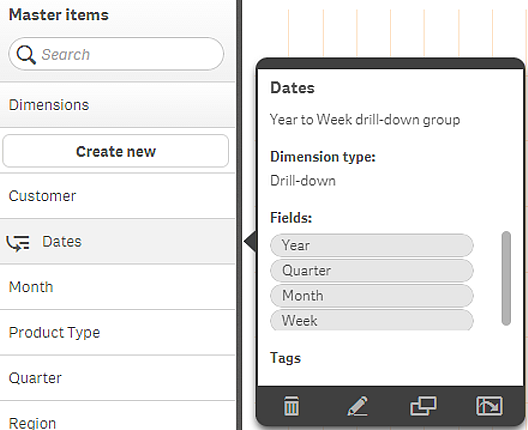
The drill-down dimension is now saved in the Dimensions category among the master items.
When you click the dimension in the panel on the left-hand side, the preview displays the dimension type and which fields are included in the drill-down dimension.