
Last updated: 10/14/2025
You can use tags to organize master items. You will find matches in tags when searching in the assets panel.
Each tag can contain a maximum of 31 characters, and each master item can have up to 30 tags.
Adding tags to a master item
You can add tags when creating or editing a master item.
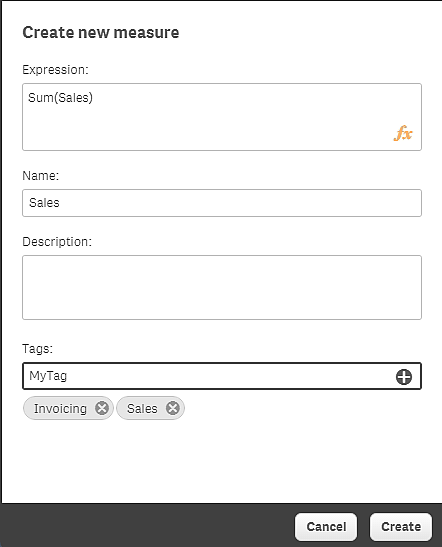
Adding tags while creating a new measure
Tip noteYou can add tags by clicking P or by pressing Enter.
Previewing tags
In the assets panel, tags are displayed when previewing dimensions, measures and visualizations.
