
Last updated: 10/16/2025
The text library contains a set of different text styles. You add text object to a slide by dragging one of the text styles into the slide.
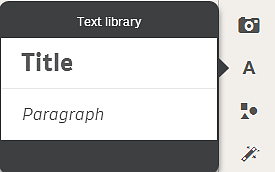
The text library with the text styles Title and Paragraph.
Title
You can change the font size by resizing the text object.
Double-click the text object to enable:
- Changing the font color
- Changing the font style
- Creating a link to a bookmark or a web address
Paragraph
If you type many characters (maximum 12 000) a scroll bar is provided.
Double-click the text object to enable:
- Changing the color
- Changing the font size
- Changing the font style
- Changing the text alignment
-
Creating a link to a bookmark or a web address