Last updated: 10/2/2025
The search tool is available when you are analyzing data on a sheet. The search tool works similar to a text search, with the difference that it must consist of at least two characters and you cannot use wildcards, expressions, operators, or anything similar to modify the search.
Example:
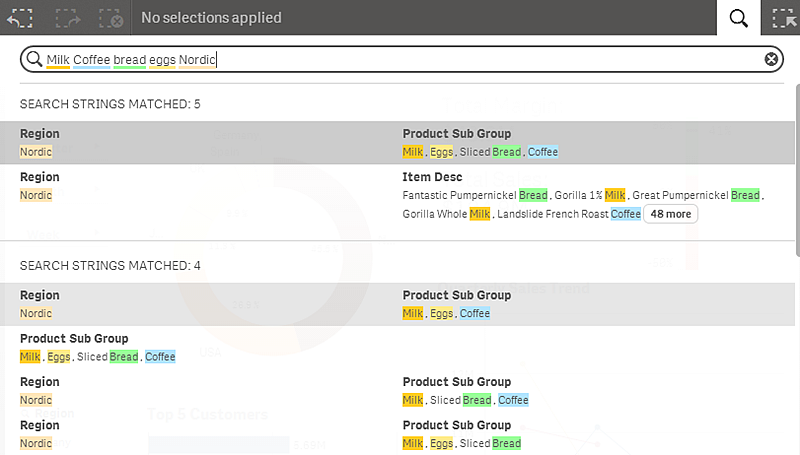
In the screenshot, the five strings in the text box generate five separate searches, although the two different categories Region and Product Sub Group/Item Desc will present the associated combinations of matches that are available in the database.