執行設定檔
上次更新:2026/10/14在此情境中,您使用 Talend API 執行設定檔,以提升專案品質。
關於此任務
以下是關於 API 呼叫的一些詳細資訊:
Method: POST
endpoint: api/v1/projects/quality/profiles/{id}/executions
payload:
    {
  "repository": "string",
  "authentication": {
    "username": "string",
    "passcode": "string"
  },
  "branch": "string",
  "workspace": "string",
  "client": "UI"
    }
端點使用設定檔 ID 作為參數,其中包含要在 Talend 專案上執行的規格清單。
程序
結果
{
  "id": "67",
  "status": "FAILED",
  "startTimestamp": "2023-10-13 17:36",
  "duration": "2s",
  "specifications": [
    {
      "id": "69",
      "specification": {
        "id": "2",
        "name": "best-practice",
        "description": "This specification contains rules related to best practices",
        "operator": "is_Equal_to",
        "threshold": 100,
        "thresholdType": "PERCENTAGE",
        "createdBy": "system"
      },
      "status": "FAILED",
      "rules": [
        {
          "id": "77",
          "rule": {
            "id": "4",
            "name": "Active-tLogRow",
            "description": "Identify jobs with tLogRow components",
            "category": "COMPONENT",
            "severity": "MINOR",
            "operator": "is_less_than_or_Equal",
            "threshold": "5",
            "thresholdType": "PERCENTAGE",
            "createdBy": "system"
          },
          "result": "30",
          "status": "FAILED"
        },
        {
          "id": "78",
          "rule": {
            "id": "5",
            "name": "JavaLogs",
            "description": "Identify jobs that contain java logs.",
            "category": "COMPONENT",
            "severity": "INFO",
            "operator": "is_less_than_or_Equal",
            "threshold": "50",
            "thresholdType": "PERCENTAGE",
            "createdBy": "system"
          },
          "result": "4.56",
          "status": "PASSED"
        }
      ],
      "duration": "1s"
    }
  ],
  "sourceProvider": {
    "providerType": "LOCAL",
    "workspace": "D:\\Talend_Studio\\studio\\workspaces\\qtcmt_test",
    "project": "PROJECT_73"
  },
  "info": {
    "version": "7.3.1",
    "label": "PROJECT_73",
    "description": "Project imported from TalendPS organization",
    "productVersion": "Talend Real-time Big Data Platform-7.3.1.20221115_1012-patch",
    "type": "DQ",
    "bigData": false,
    "local": false
  },
  "inventory": {
    "total_artifact_assets": 258,
    "context_group": 11,
    "standard_job": 210,
    "standard_job_versions": 211,
    "standard_joblet": 24,
    "standard_joblet_versions": 24,
    "resource": 2,
    "resource_versions": 24,
    "bd_batch": 1,
    "bd_batch_versions": 1,
    "bd_batch_joblet": 0,
    "bd_batch_joblet_versions": 0,
    "bd_streaming": 1,
    "bd_streaming_versions": 1,
    "bd_streaming_joblet": 0,
    "bd_streaming_joblet_versions": 0,
    "route": 46,
    "route_versions": 46,
    "routelet": 1,
    "routelet_versions": 1
  },
  "commits": [
    {
      "id": "24b228d45561e0a741a0409195ef492437bf3",
      "date": "Tue Feb 21 01:29:11 2023 +0000",
      "author": "talend <talend@3bed803c5b79>",
      "message": "\tCreate Project: PRJ_731\n"
    }
  ]
}此範例的結果為 30。規則的品質檢查失敗。規則的狀態為失敗。每個規則的狀態是根據結果與閾值之間的比較來評估的。
專案的整體品質由規格的狀態決定。規格的狀態由所有規則的累積結果或狀態驗證。在此範例中,閾值設定為100%。在此,即使單一條件或規則失敗,規格也會失敗,且狀態會設為失敗。
閾值、閾值類型和運算子可根據規則和規格對您的Talend專案品質所造成的影響進行更新。
當所有規格都執行完畢時,執行的狀態會根據下列條件設定:
- 通過:如果所有規格都已通過,則為此狀態。
- 失敗:如果任何規格失敗,則為此狀態。
- 已取消:如果執行已取消,則為此狀態。
- 執行中:如果執行正在進行中,則為此狀態。
可以使用 GET /api/v1/projects/quality/profiles/executions 端點來存取執行。執行可以透過多個條件進行篩選:從特定開始時間的執行狀態或專案名稱。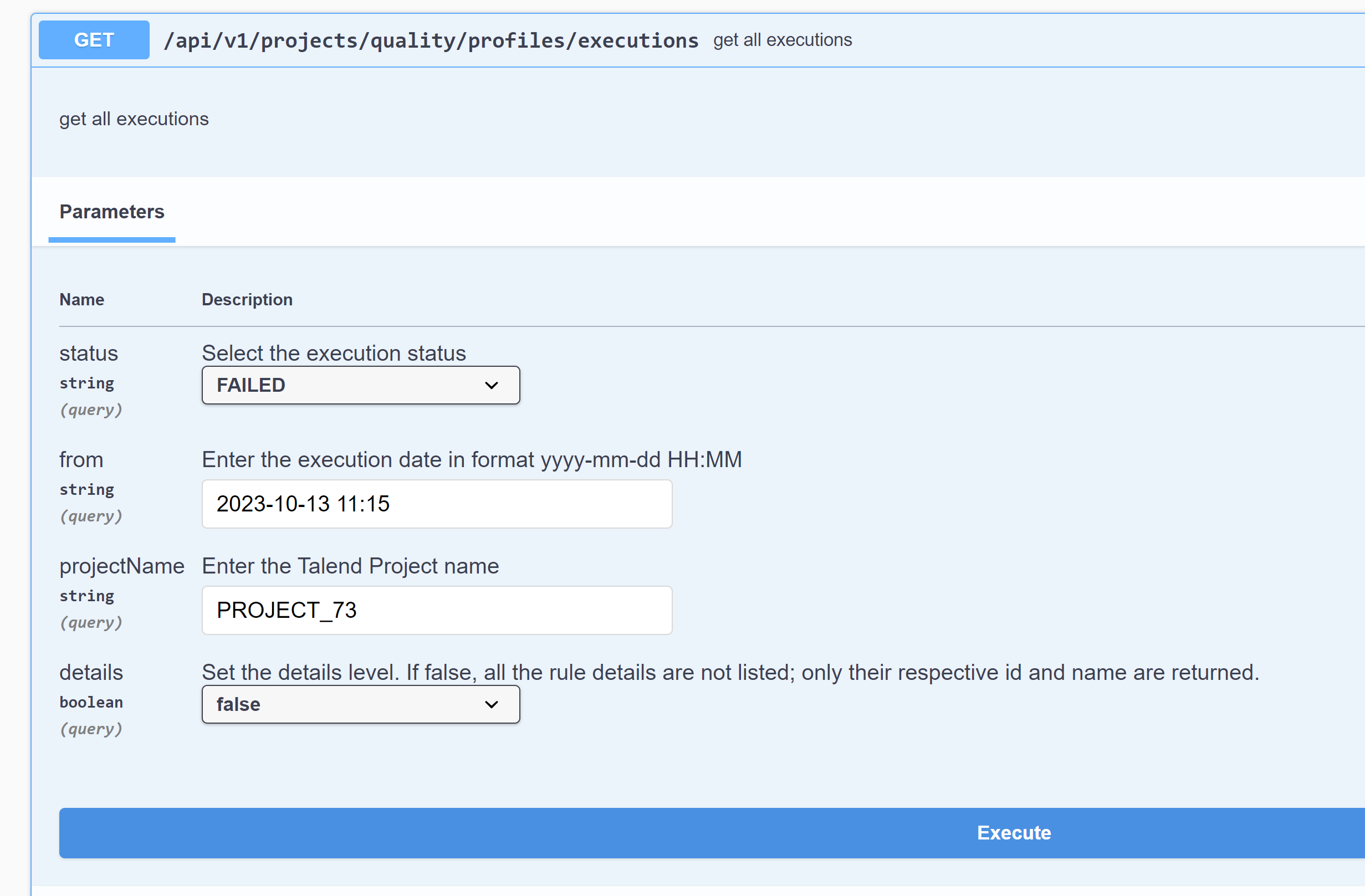
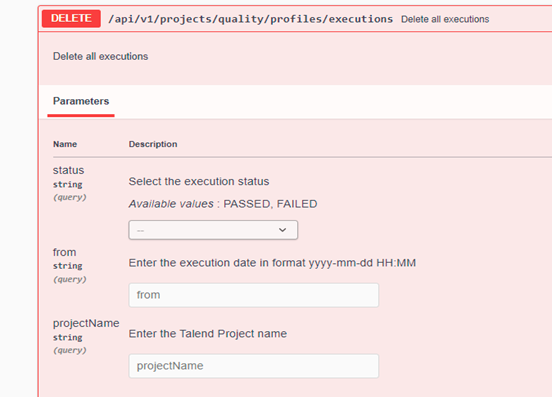
執行也可以透過其執行 ID、狀態、開始時間或專案名稱來刪除。