
Slack
Последнее обновление: 20.10.2026Use the Slack connector to create channels, send messages to Slack channels, and invite users to channels from Qlik Automate. A common use case is sending alerts to Slack based on actions in Qlik Cloud, such as task chain events.
Connecting Slack to Qlik Automate
To add Qlik Automate to Slack, click on the Create new connection button in the Connections page, select the Slack connector and click Add new connection.
Connectors in Qlik Automate can be authenticated from the Connections page and from the Connection tab of a block that you add to the canvas. For more information, see Authenticating connectors.
Deleting the connection
To delete your connection, go to the Connections tab, select the Slack connection you wan to delete and click on the More menu  and click delete.
You can also delete the connection from within the automation that uses it. Open the automation, select a Slack block and click on the Connection tab. Select the relevant connection and click delete.
To delete connections, you need to be the creator of the connection, or have role that gives you sufficient permissions to do so.
For more information about Qlik Automate connections see, Navigating the user interface - Connections. For more information about user roles, see Roles and permissions for users and administrators.
Unlinking the connection
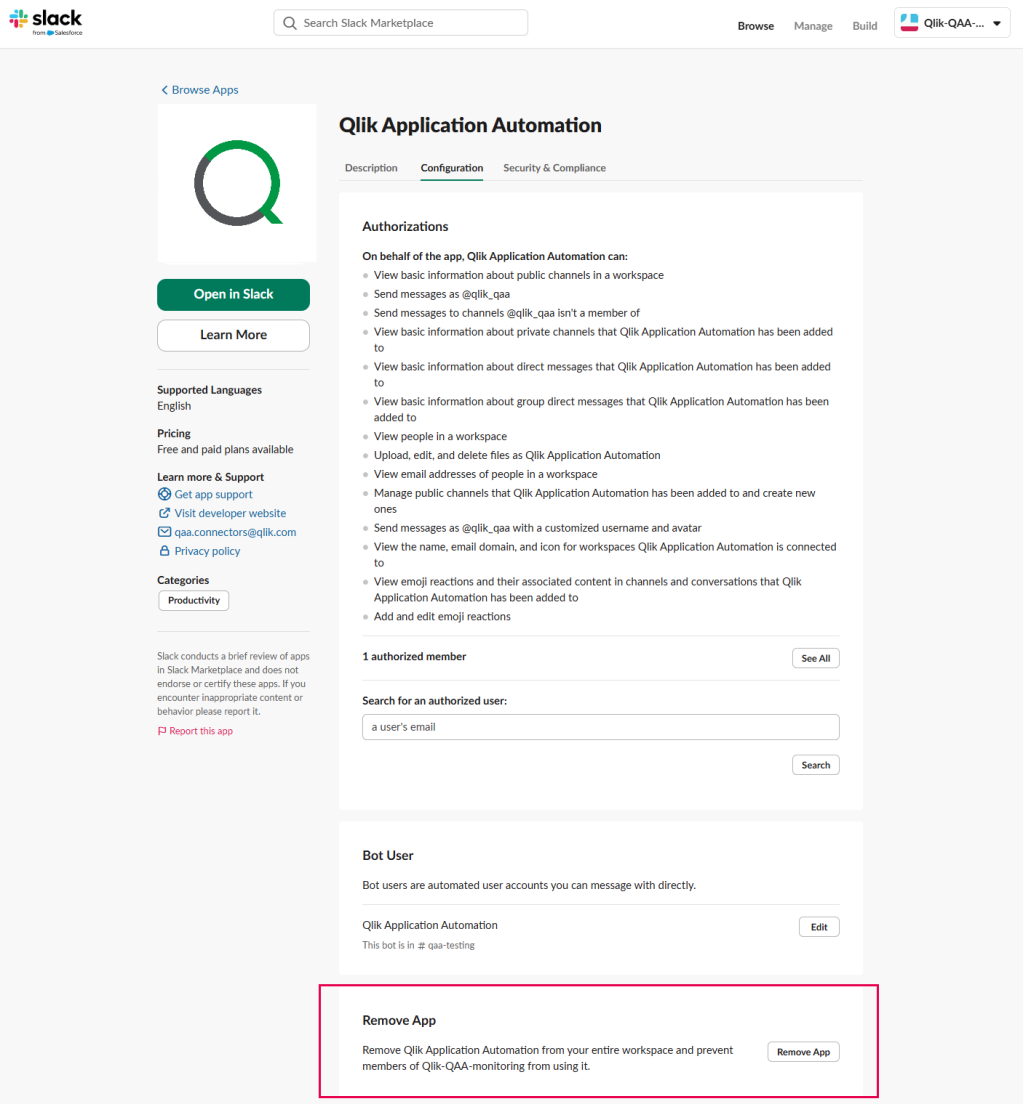
To unlink the connection, open the Qlik Automate configuration page on Slack, scroll down to the bottom of the page, and click on Remove app.
Available blocks
You can use the following blocks to automate workflows:
-
Archive channel
-
Create channel
-
Get user by email
-
Get user by ID
-
Get user by presence
-
Invite users to channel
-
List all users
-
List channels
-
Send binary file
-
Send ephemeral message
-
Send message
-
Send message with attachment
-
Send message with blocks
-
Send text-based file
-
Upload file to channel
Подробнее
- Qlik Privacy Policy
- Qlik Community - Qlik Automate and Slack: Send notifications based on app successful or failed reload
- Qlik Community - How to send a chart image to Slack, Microsoft Teams, or email using Qlik Automate
- Qlik Community - Create a channel in Slack for new Jira ticket with a status change