跳到主要内容 跳到补充内容

将用户从 Talend Administration Center 迁移到 Talend Management Console

在此场景中,您使用 Talend API 将用户从 Talend Administration Center 迁移到 Talend Management Console

关于此任务

以下是有关 API 调用的详细信息:

Method: POST
endpoint: api/v2/migration/tmc/users
payload:
    [
      {
        "tacid": 0,
        "id": 0
      }
    ]

程序

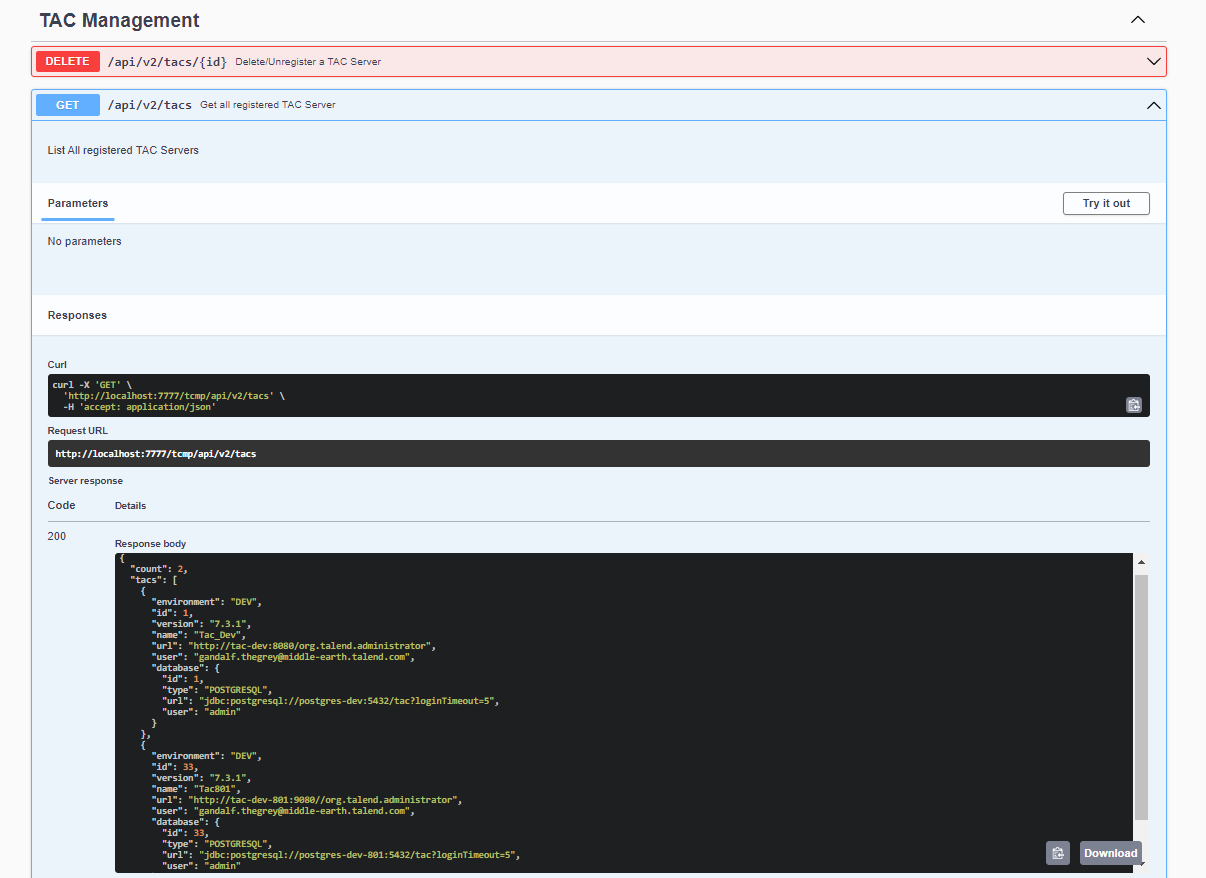
  1. 调用 TAC 管理 API 中的 GET api/v2/tacs 端点,以获取 TAC 服务器的 TAC ID。响应返回已注册到 Qlik Talend Cloud Migration Toolkit 的 TAC 服务器列表。
  2. 记下 TAC 服务器的 TAC ID。

    示例: tacId: 1

    获取所有已注册TAC服务器的API文档。
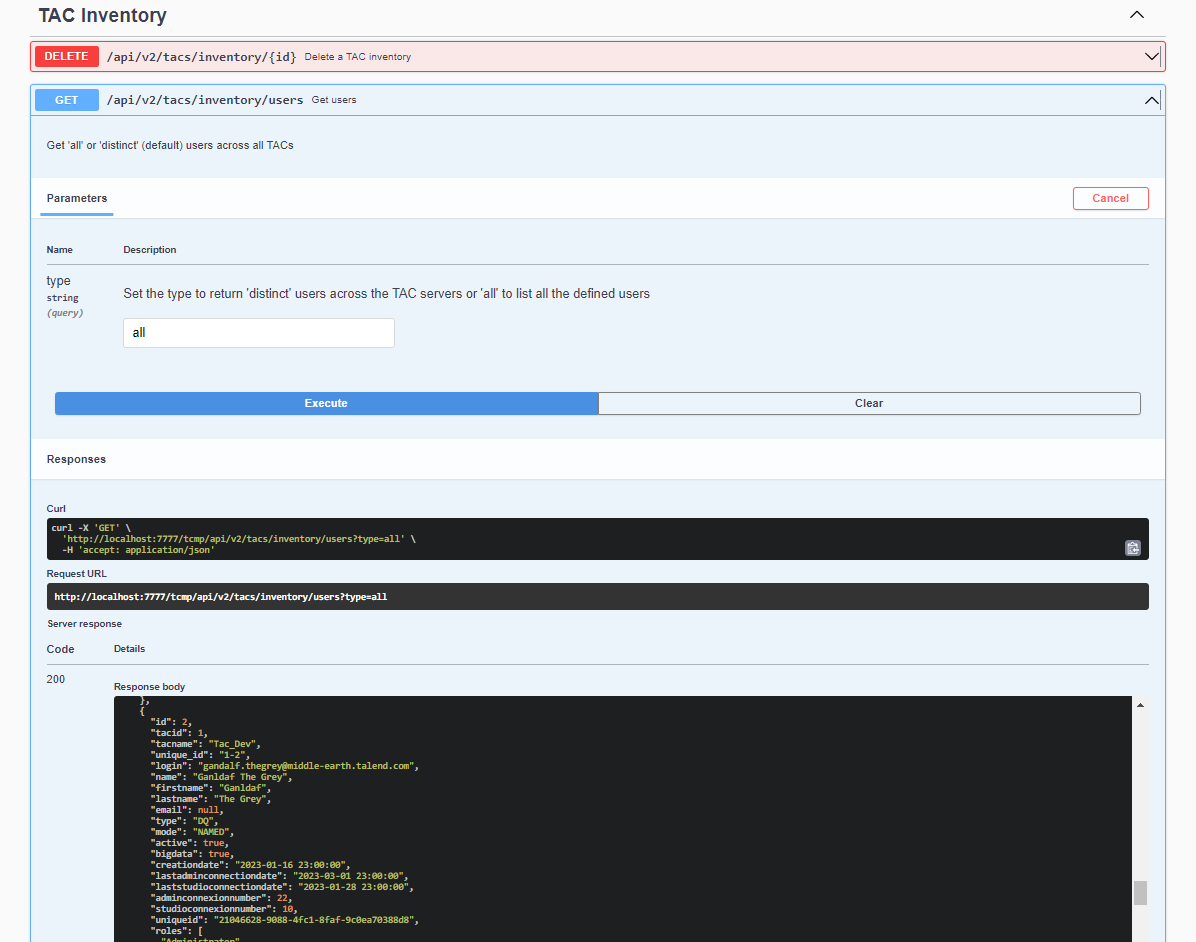
  3. 调用 GET api/v2/tacs/inventory/users 端点,并使用 distinctall 参数来获取要迁移到 Talend Management Console 的 TAC 用户的用户 ID。响应返回所有 TAC 服务器上 distinct 或所有用户的列表。
  4. 记下属于步骤 1 中 TAC 服务器的 TAC 用户的用户 ID。

例如: userId: 2

API documentation for an API helping you to get users.

  1. Call the POST api/v2/migration/tmc/users endpoint in TAC to TMC migration APIs to create a user in Talend Management Console.
  2. In the Body area, enter the TAC server ID and user ID from steps 1 and 2.

示例:

[
 {
        "tacid": "1",
        "id": "2",
 }
]

  1. Click Execute to issue your call.

结果

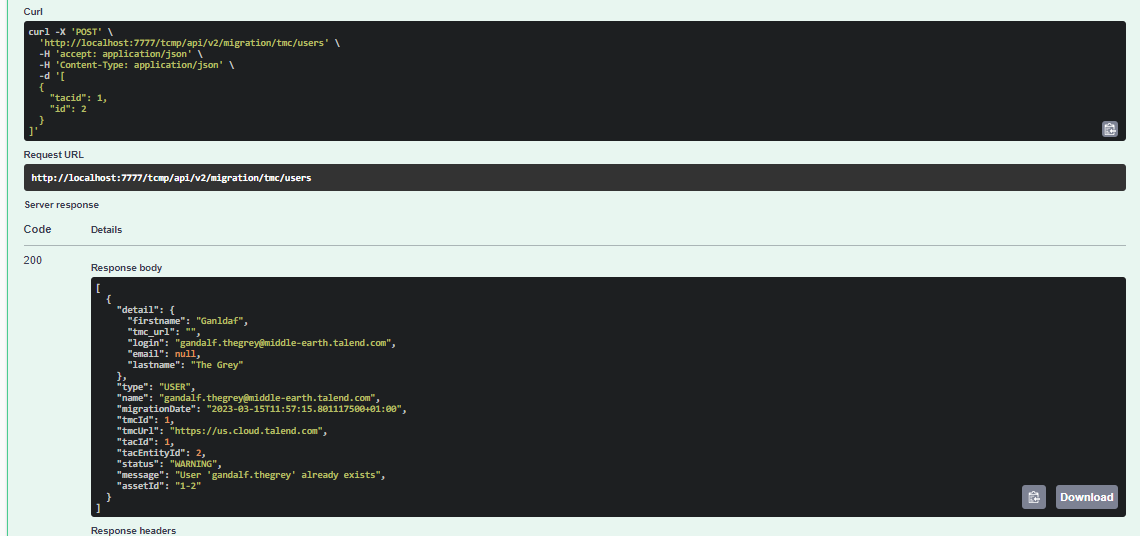
The user is migrated to Talend Management Console and the status code 200 is returned. 在响应的正文字段中,显示了已迁移用户的详细信息。
获取已迁移用户详细信息的响应正文示例。

Visit the discussion forum at community.qlik.com

本页面有帮助吗?

如果您发现此页面或其内容有任何问题 – 打字错误、遗漏步骤或技术错误 – 请告诉我们!