跳到主要内容 跳到补充内容

执行项目升级管道

清单创建完成后,您可以执行您的管道。它将允许您将 Talend 项目升级到所选 Talend 8.0 CI/CD 沙盒环境的版本。

程序

  1. 单击 管道 按钮。根据清单的定义,Qlik Talend Cloud Migration Toolkit 生成 CI/CD 执行步骤。每个步骤都作为单独的 shell 脚本执行,.cmd 在 Windows 上,.sh 在 Linux 上。
  2. 管道 选项卡中,请注意 仅生成管道脚本选项,默认禁用。当此选项被激活时,升级不会执行。Use this option if you want to generate the script without executing the upgrade. You can then use the script to run the pipeline outside Qlik Talend Cloud Migration Toolkit.
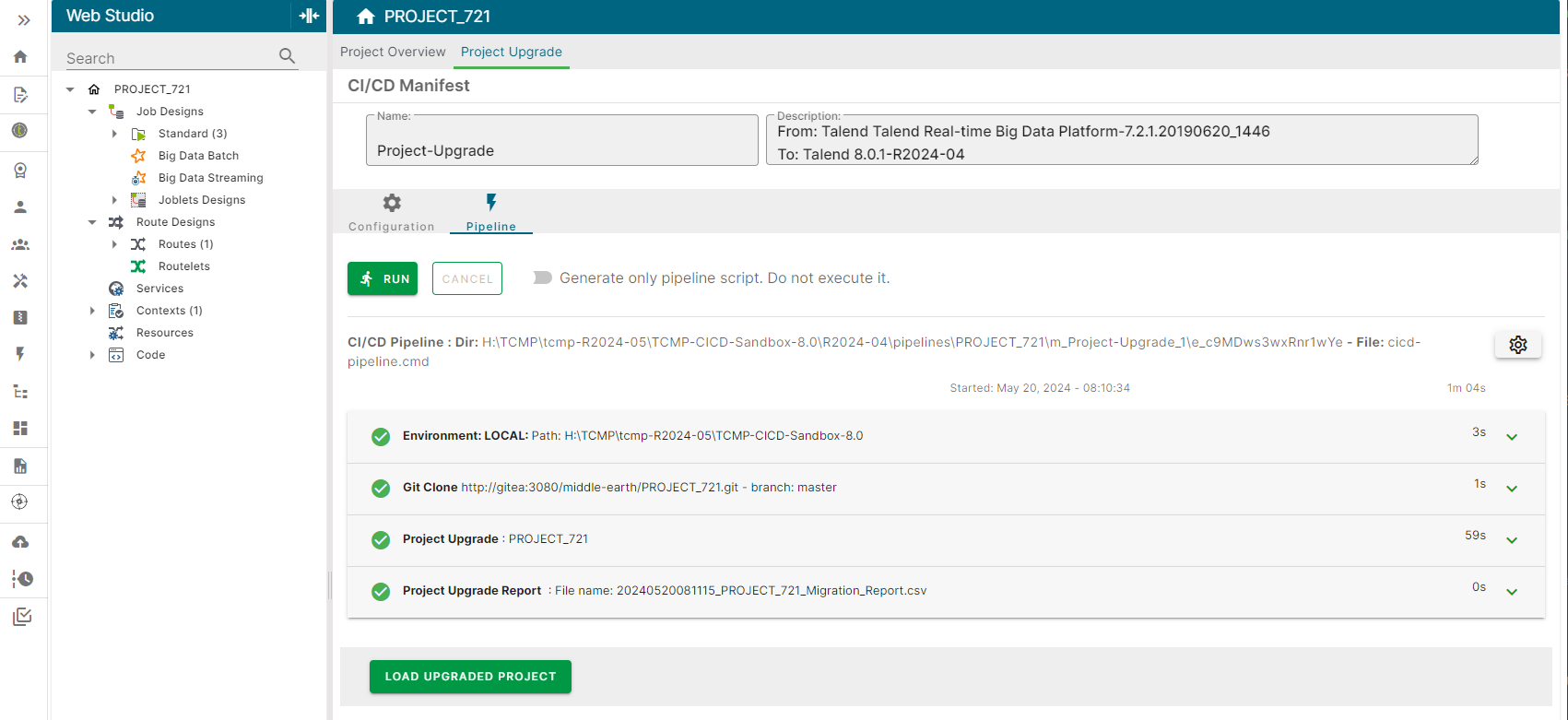
  3. Click Run to execute the pipeline scripts. Each step script displays the execution output in their respective expansion panel. The output can also be exported as a log file using the download button in each panel. 如果执行成功,所有步骤将标记为绿色对勾图标。最后一步将显示 CSV 生成的项目升级报告的表示形式。
    管道脚本正在执行。
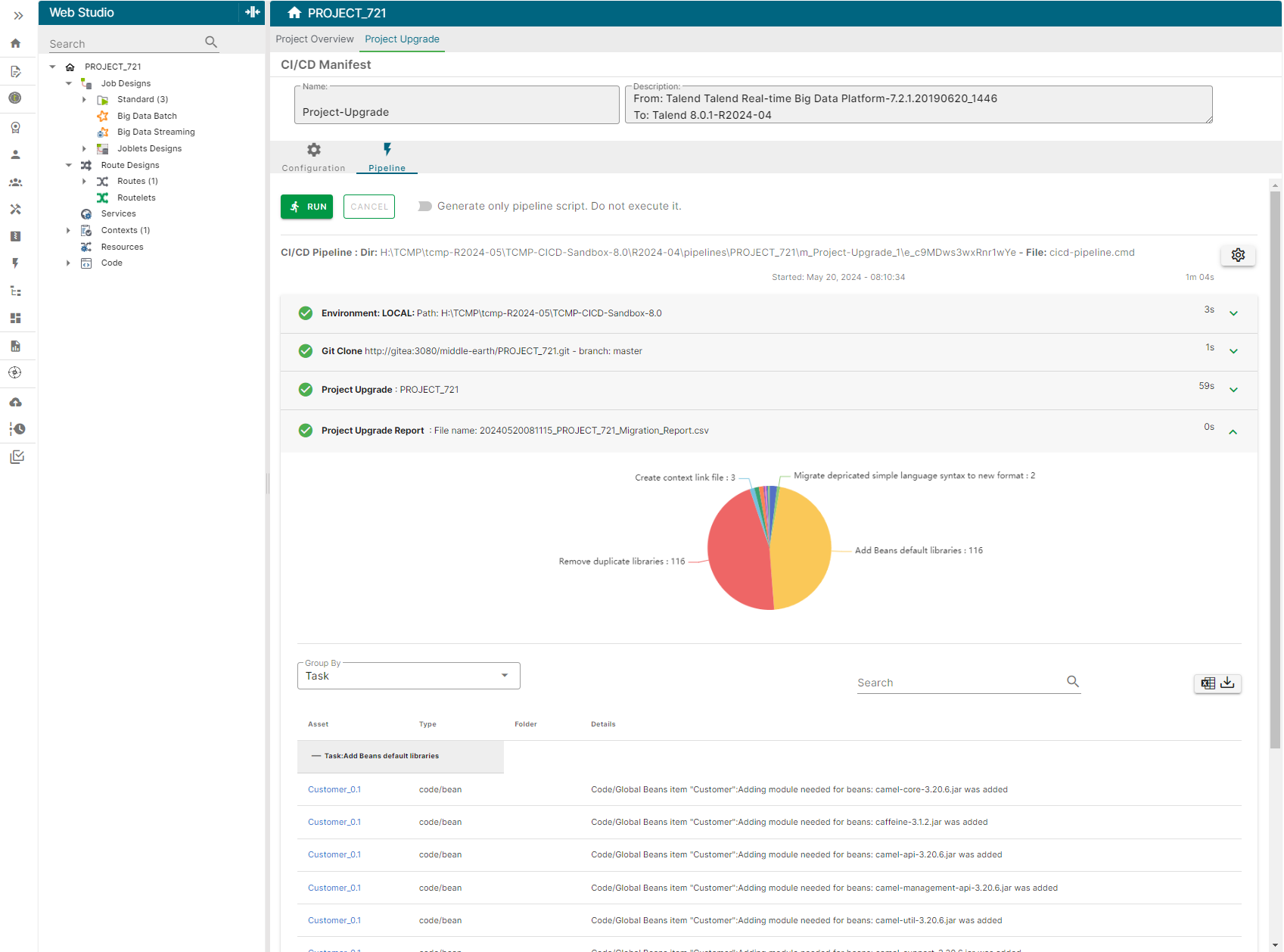
  4. 报告显示了对项目所做的修改Talend CommandLine,以将其升级到当前版本。此表示形式允许您根据不同条件查看更改。
    项目升级报告视图。
  5. 成功更新后,点击 加载已升级项目

结果

您已成功执行项目升级管道。您的项目现在与 Talend Cloud 兼容。您已准备好将工件发布到 Talend Cloud

Visit the discussion forum at community.qlik.com

本页面有帮助吗?

如果您发现此页面或其内容有任何问题 – 打字错误、遗漏步骤或技术错误 – 请告诉我们!