# Custom check box properties
The check box definition property template can be used to add a custom property of check box type. When defining a check box property, the following fields can be used:
Definition properties
| Field | Description |
| --- | --- |
| type | Used for all custom property type definitions. Can be either string, integer, number, array or boolean.
This field is mandatory and should always be "boolean" for a check box property type definition. |
| label | Used for defining the label that is displayed in the property panel. |
| ref | Name or ID used to reference a property. |
| defaultValue | Used for defining the default value of your custom property. |
## Examples
Defining a custom property of check box type can look like below.
Example: Add custom check box property to Appearance accordion
Information noteCustomization of properties always start with items:.
```
return {
type: "items",
component: "accordion",
items: {
settings: {
uses: "settings",
items: {
MyCheckProp: {
type: "boolean",
label: "Show me",
ref: "myproperties.show",
defaultValue: true
}
}
}
```
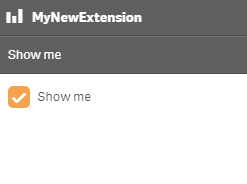
This is what it looks like in the property panel
You can also define a new accordion item as a check-box property.
Example: Add custom check-box property as a new accordion item
```
return {
type: "items",
component: "accordion",
items: {
MyAccordion: {
type: "boolean",
label: "Show me",
ref: "myproperties.show",
defaultValue: true
}
```
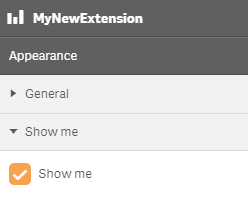
This is what it looks like in the property panel