# Updating an API definition in Azure API Management
Import a file to Azure API Management to update an existing definition.
* You have access to Azure API Management.
* You have installed Microsoft PowerShell. For more information, see the [Microsoft PowerShell documentation](https://docs.microsoft.com/en-us/powershell/scripting/install/installing-powershell?view=powershell-6).
* You have installed the Azure PowerShell module. For more information, see the [Microsoft Azure documentation](https://docs.microsoft.com/en-us/powershell/azure/install-az-ps?view=azps-2.4.0).
* You have exported your API definition.
* You have uploaded a previous version of the API definition to Azure API Management.
* You have set your context parameters as a variable. For more information, see the procedure above.
1. Open a command line and enter the following command to upload the file:
```
Import-AzApiManagementApi -Context $ApiMgmtContext -SpecificationFormat "{format}" -SpecificationPath "{yourfile}" -ApiId "{api-id}" -Path "{api-url-suffix}"
```
2. Add the correct parameters:
| Parameter | Description |
| --- | --- |
| {format} | Format of the API definition to import. The value can be:
- Swagger (recommended)
- Wadl
- Wsdl
- OpenApi
|
| {yourfile} | Path and file name of the API definition you
exported. |
| {api-id} | Azure API Management ID of the API to update. |
| {api-url-suffix} | Web
API path to add at the end of your API public URL. |
3. Execute the command.
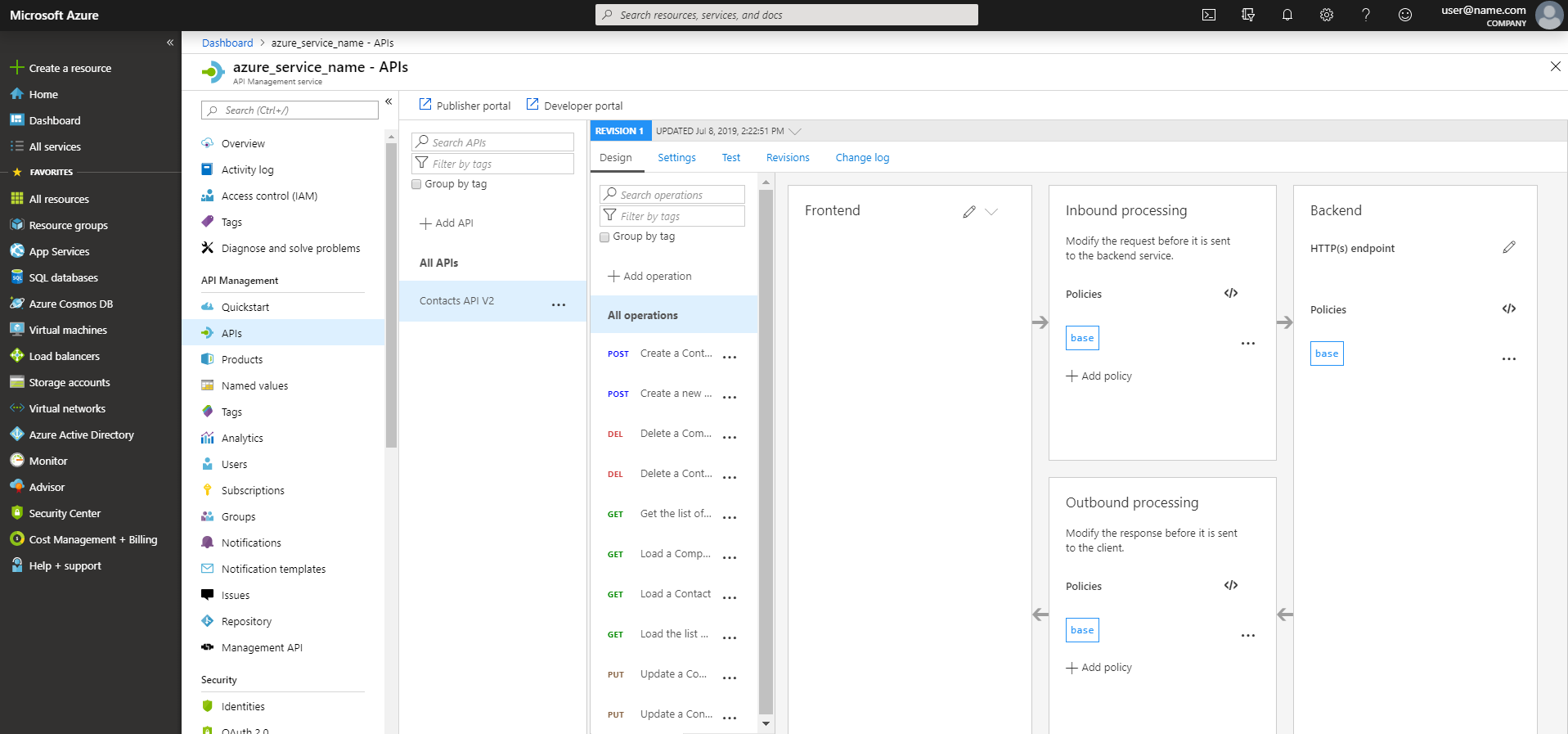
Your API definition is imported and the new file replaces the previous version. You can check your update on the Azure portal.
In this example, a first version of the API definition named Contacts API, which contained five operations was uploaded. Then, it was replaced with a new definition named Contacts API V2 containing ten operations.
For more information about the Import-AzApiManagementApi command, see the [Azure documentation](https://docs.microsoft.com/en-us/powershell/module/az.apimanagement/Import-AzApiManagementApi?view=azps-2.4.0).