# Importing an API definition to Azure API Management
Import your API definition to Azure API Management.
* You have access to Azure API Management.
* You have installed Microsoft PowerShell. For more information, see the [Microsoft PowerShell documentation](https://docs.microsoft.com/en-us/powershell/scripting/install/installing-powershell?view=powershell-6).
* You have installed the Azure PowerShell module. For more information, see the [Microsoft Azure documentation](https://docs.microsoft.com/en-us/powershell/azure/install-az-ps?view=azps-2.4.0).
* You have exported your API definition.
1. Open your command line.
2. To avoid setting the context in each command, you can add it as a variable by executing the following command:
```
$ApiMgmtContext = New-AzApiManagementContext -ResourceGroupName "{ResourceGroupName}" -ServiceName "{ServiceName}"
```
| Parameter | Description |
| --- | --- |
| {ResourceGroupName} | Group of resources associated to the service.
It can be found on the Microsoft Azure portal. |
| {ServiceName} | Name of the service. It can be found on the
Microsoft Azure portal. |
3. Enter the following command to upload the file:
```
Import-AzApiManagementApi -Context $ApiMgmtContext -SpecificationFormat "{format}" -SpecificationPath "{yourfile}" -Path "{api-url-suffix}"
```
4. Add the correct parameters:
| Parameter | Description |
| --- | --- |
| {format} | Format of the API definition to import. The value can be:
- Swagger (recommended)
- Wadl
- Wsdl
- OpenApi
|
| {yourfile} | Path and file name of the API definition you
exported. |
| {api-url-suffix} | Web
API path to add at the end of your API public URL. |
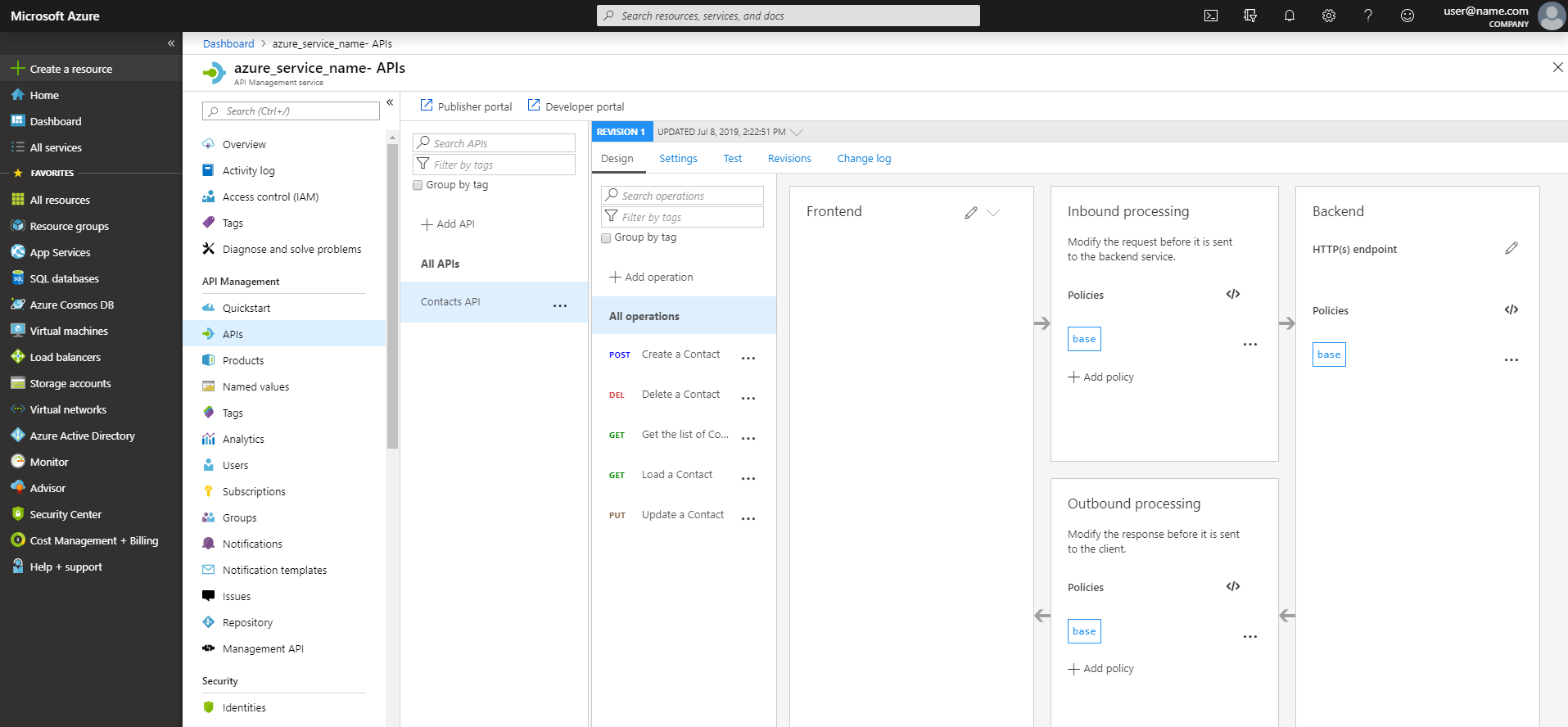
Your API is imported and the command line returns information about your API, such as its ID, which can be used to update it. You can check your API definition on the Azure portal.
For more information about the Import-AzApiManagementApi command, see the [Azure documentation](https://docs.microsoft.com/en-us/powershell/module/az.apimanagement/Import-AzApiManagementApi?view=azps-2.4.0).